Build an Offline Multimodal Voice Assistant for Home Assistant
Build a local Home Assistant voice pipeline with wake word, speech, Gemma 4 context, allowlisted actions and spoken responses.
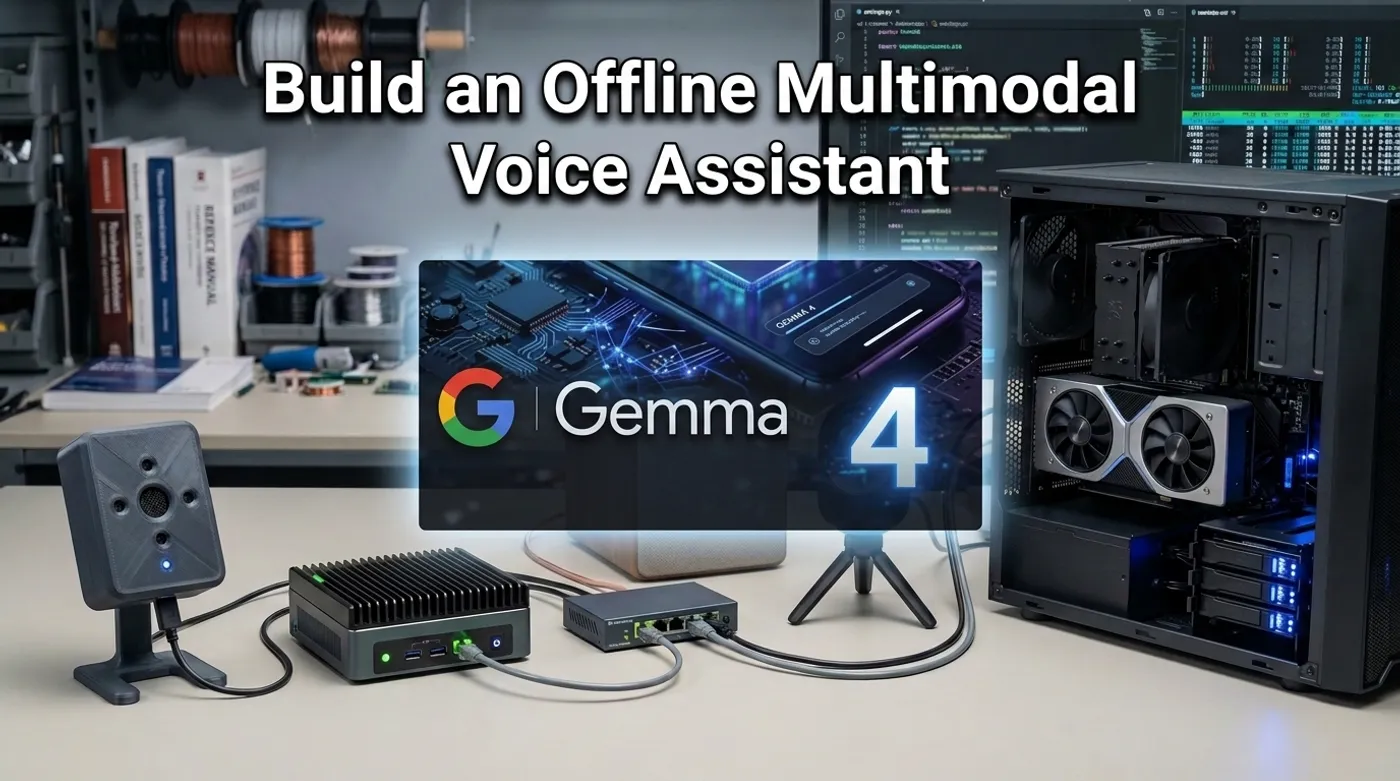
Build a local Home Assistant voice pipeline with wake word, speech, Gemma 4 context, allowlisted actions and spoken responses.
A multimodal home assistant is often drawn as one model listening to the room, watching the cameras, controlling the house, and answering in a pleasant voice. The diagram looks wonderfully concise. The implementation looks less clever when the model is unavailable, the microphone hears the television, or one ambiguous camera frame influences a door lock.
The practical design uses two local paths: a fast deterministic voice pipeline for ordinary commands and an optional Gemma 4 path for questions that genuinely need audio or visual context.
This is an implementation companion to Offline Voice Control for Home Assistant With Gemma 4, which covers the trust model and network layout in more detail.
Use Two Pipelines, Not One Giant Model
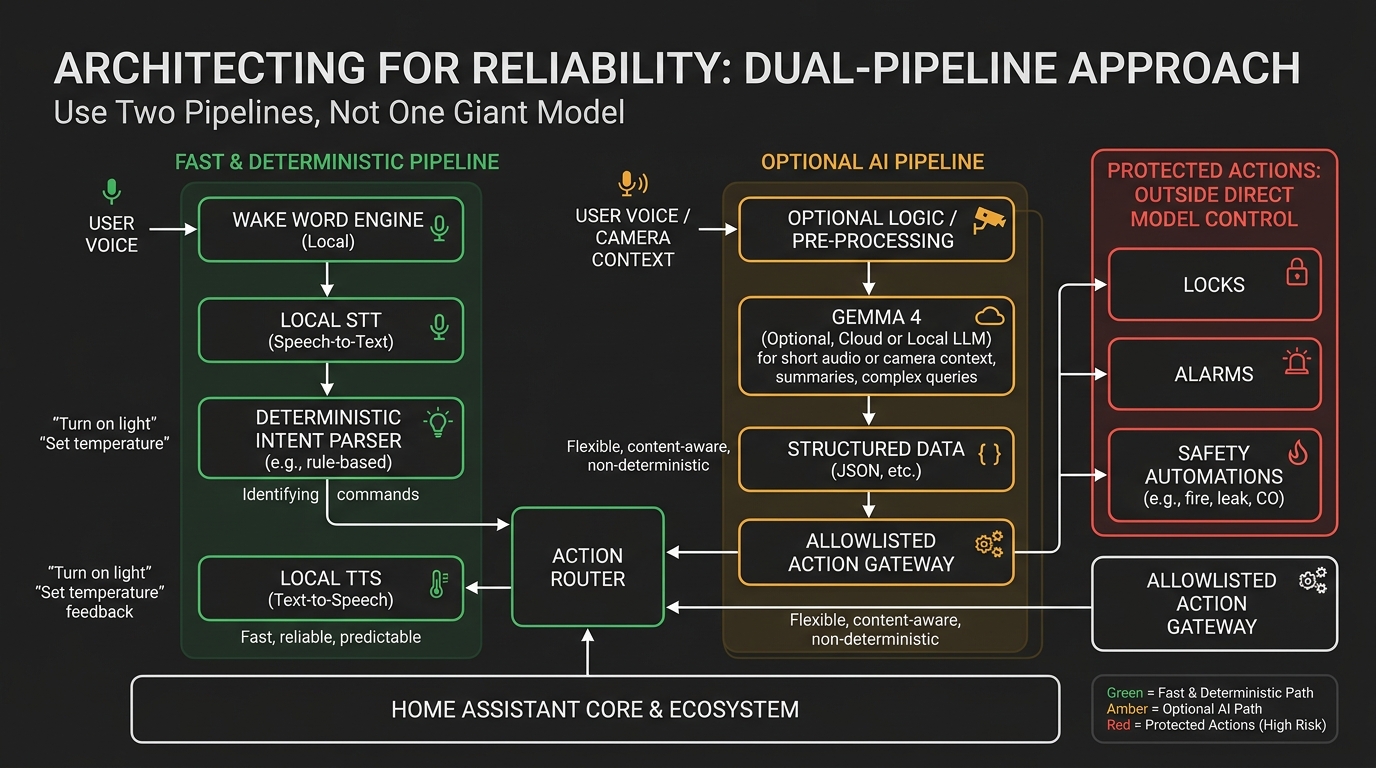
The primary path should remain boring:
microphone
  -> local wake word
  -> local speech-to-text
  -> Home Assistant intent
  -> allowlisted service or script
  -> local text-to-speech
  -> speaker
The optional path adds context:
short audio clip or selected camera frame
  -> Gemma 4 multimodal service
  -> structured observation
  -> policy and validation
  -> read-only answer or allowlisted script
Home Assistant’s Assist pipeline already defines wake word, speech-to-text, intent recognition, and text-to-speech as separate stages. Keep that separation. It gives you logs, stage-specific errors, and the ability to replace one engine without rebuilding the entire assistant.
Hardware for One Room
A first useful room needs:
- an ESP32 voice satellite or a USB microphone near the speaker;
- a local wake word engine;
- Home Assistant on a reliable host;
- local STT, such as Whisper;
- Piper or another local TTS engine;
- a speaker;
- a separate Gemma 4 inference service;
- an optional local RTSP camera for explicitly requested visual context.
A ReSpeaker-style microphone array can improve pickup in a fixed room. An ESP32-S3-BOX-3 class satellite gives you a compact endpoint. A Zigbee button is the fallback when voice is inappropriate or broken.
The model host depends on the selected Gemma 4 checkpoint. An N100 mini PC can run the orchestration and smaller CPU workloads, but a discrete GPU may be needed for acceptable multimodal latency. Use the memory ranges in Gemma 4 Audio Local Inference before buying hardware.
Experimental GPU drivers do not belong on the only machine responsible for critical Home Assistant automations. Rebooting the AI host should make the assistant less clever, not the house less functional.
Build the Normal Voice Path First
Configure and test the Assist pipeline before adding Gemma 4:
- detect the wake word locally;
- stream audio to the selected local STT engine;
- resolve a built-in Home Assistant intent;
- run a harmless script;
- speak the response through local TTS.
The Home Assistant pipeline emits errors such as wake-word-timeout, stt-no-text-recognized, intent-failed, and tts-failed. Log them separately. “The assistant did nothing” is not a useful diagnostic category.
Start with three commands:
Turn on the desk lamp.
What is the office temperature?
Run movie mode.
Map broad natural language to narrow scripts:
script:
  office_lamp_on:
    sequence:
      - action: light.turn_on
        target:
          entity_id: light.office_desk

  movie_mode:
    sequence:
      - action: scene.turn_on
        target:
          entity_id: scene.living_room_movie
The script names are your control API. The model does not need permission to enumerate every entity and improvise.
Add Gemma 4 as a Sidecar
Gemma 4 audio support does not automatically make it a Home Assistant STT provider or conversation agent. A custom adapter still has to:
- accept a short local clip or image;
- normalize the media;
- call the compatible Gemma 4 runtime;
- request a strict output shape;
- reject malformed or unsupported responses;
- return a result to Home Assistant.
Use a small local HTTP service with one purpose. A request might look like:
{
  "task": "room_observation",
  "audio_file": "/requests/8f21/audio.wav",
  "image_file": "/requests/8f21/frame.jpeg",
  "allowed_rooms": ["kitchen"],
  "allowed_observations": ["timer_sound", "water_on_floor", "stove_visible"]
}
Expected response:
{
  "observation": "timer_sound",
  "confidence": 0.82,
  "evidence": "repeating alarm tone in the audio clip",
  "suggested_script": "announce_kitchen_timer"
}
Validate every field. Treat confidence as model output, not calibrated probability. The gateway decides whether a suggestion maps to a script.
For ordinary commands, skip this service entirely. Sending “turn on the lamp” through a multimodal model is slower, consumes more memory, and adds nothing except a more expensive way to reach the same switch.
Audio Capture Rules
Gemma 4’s documented audio input is a short clip, not an always-listening wake word service. Use the satellite or Assist pipeline for activation, then capture only the command window.
Prepare audio as:
mono
16 kHz
normalized 32-bit float
30 seconds or less
Keep the clip long enough for the request and short enough to avoid unrelated conversation. Delete transient media after the request unless debugging is explicitly enabled.
For noisy rooms, tune noise suppression and gain with real recordings. Home Assistant exposes noise suppression, automatic gain, and volume multiplier controls in the Assist pipeline. More gain is not always better; it can amplify the fan, echo, and television along with the speaker.
Store a rolling debug sample only during commissioning. A private assistant that quietly archives every failed wake word has misunderstood the assignment.
Visual Context Must Be Requested
Continuous access to every camera is unnecessary. Use a snapshot from a specific local camera only when the request requires it:
Is the garage door open?
Did I leave a package by the front door?
Is the kitchen timer the sound I am hearing?
Prefer Home Assistant sensors for known state. A reed switch is better evidence for a garage door than a language model interpreting shadows. Use vision for descriptive context that deterministic sensors do not provide.
Camera access rules:
- only the sidecar can request snapshots;
- only allowlisted cameras are available;
- no camera stream is exposed to the model continuously;
- images are deleted after processing;
- bedrooms and private areas stay excluded;
- the camera VLAN cannot initiate connections to the AI host.
The network boundary from How to Isolate IP Cameras on a VLAN applies unchanged.
Keep Dangerous Actions Outside the Model
The multimodal service may suggest:
announce_kitchen_timer
turn_off_office_lamp
report_front_door_state
It should not directly call:
lock.unlock
alarm_control_panel.alarm_disarm
cover.open_cover
switch.turn_on for heaters or high-power loads
Locks, alarms, garage doors, heat, water shutoff, and emergency routines need deterministic policy and explicit confirmation. Read-only status is the safer default.
Represent the gateway as an allowlist:
allowed_ai_scripts:
  announce_kitchen_timer: script.announce_kitchen_timer
  turn_off_office_lamp: script.office_lamp_off
  report_front_door_state: script.report_front_door_state
Any unknown value is rejected and logged. Never build a service name by concatenating model output.
Fail Closed and Fall Back
Test these failures deliberately:
| Failure | Expected behavior |
|---|---|
| Gemma service offline | normal Assist commands still work |
| Internet disconnected | complete local pipeline still works |
| STT returns no text | no action, short spoken retry |
| Camera unavailable | answer that visual evidence is unavailable |
| Invalid JSON from model | reject response and run nothing |
| Home Assistant restarting | physical controls and automations continue |
| TTS unavailable | action result appears in UI or notification |
Add timeouts at every network boundary. A voice request should not wait five minutes because the model is swapping into RAM.
Keep a button, dashboard, and physical switch path for important actions. Voice is an interface, not the electrical system.
Measure Whether Multimodal Helps
Create 30 ordinary voice commands and 20 context questions. Record:
wake word success
transcript accuracy
intent accuracy
multimodal service latency
wrong or unsupported observations
actions rejected by policy
complete request latency
Compare the multimodal result with a simpler alternative. If a $10 contact sensor answers the question more reliably, install the sensor. Local AI is valuable when it handles ambiguity and unstructured context. It is not a requirement to make every binary state philosophical.
For daily commands, the finished assistant should feel ordinary. When context is uncertain, it should become visibly cautious and sometimes decline to act. That behavior will impress fewer people in a demo and annoy fewer people who live in the house.
Keep reading
Related guides
Build an Offline Care Assistant for Older Adults or Pets
Combine local voice, fall signals, medication reminders and family alerts without turning a home lab into a medical device.
AI Energy Management With Home Assistant and EMHASS
Use EMHASS with solar forecasts, dynamic tariffs, EV charging constraints and deterministic Home Assistant fallbacks.
Gemma 4 Audio Local Inference: What Works Offline and What Does Not
Test Gemma 4 audio locally for transcription and translation, with realistic runtime, format, memory and latency limits.