Local-First No-Cloud Home Architecture That Still Works Offline
Design a no-cloud home stack with local DNS, storage, Home Assistant, backups, VLANs, and private remote access.
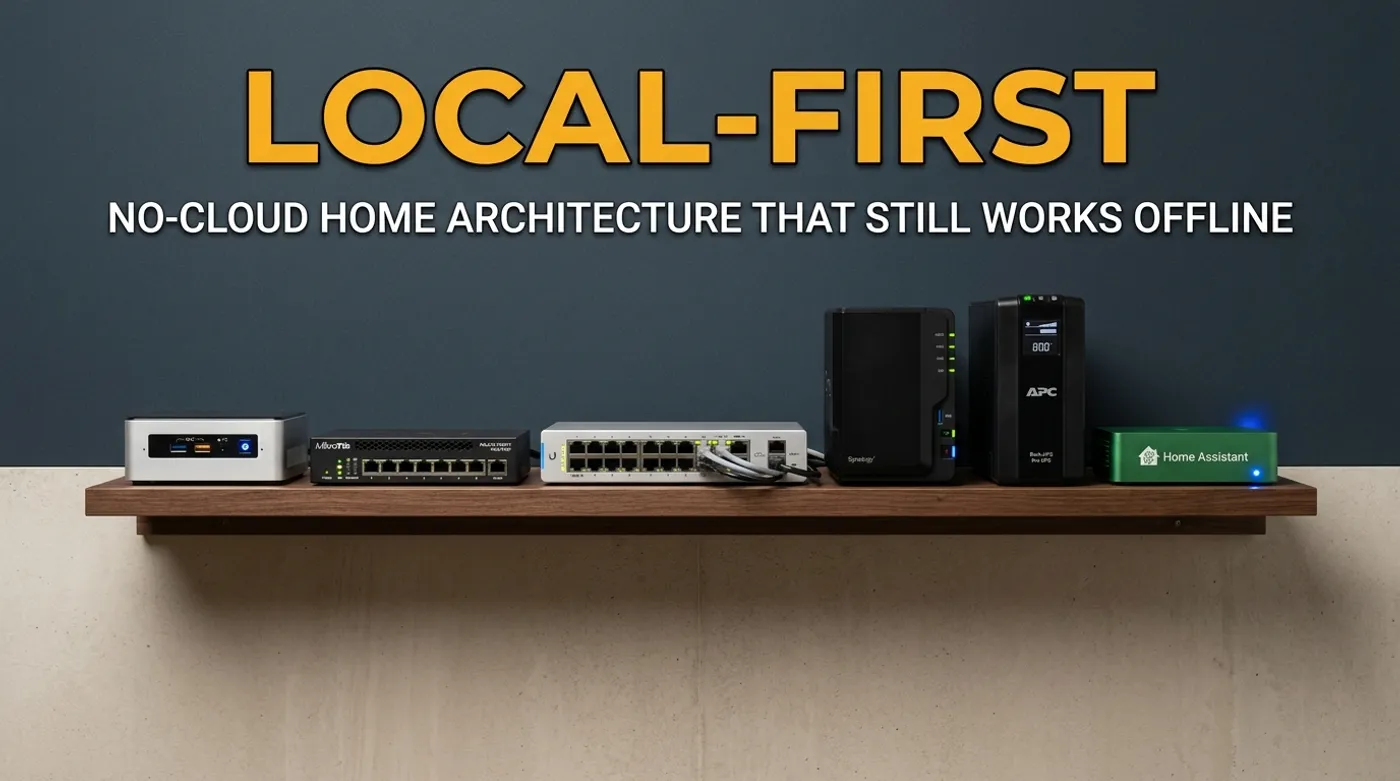
Design a no-cloud home stack with local DNS, storage, Home Assistant, backups, VLANs, and private remote access.
“No cloud” is usually the wrong phrase if it means pretending the internet does not exist. Your phone still uses push notifications. Firmware updates still exist. Off-site backups still matter. The useful version is stricter and less dramatic: the house should keep doing its core jobs when the internet is down.
That means local DNS resolves local services. Home Assistant keeps running. Cameras still record. Files are still reachable. Backups still happen. Door, leak, motion, and energy automations do not wait for a vendor API to approve basic reality.
This is local-first applied to a home network. The cloud can be an optional layer. It should not be the load-bearing wall.
The Architecture: Local First, Cloud Optional
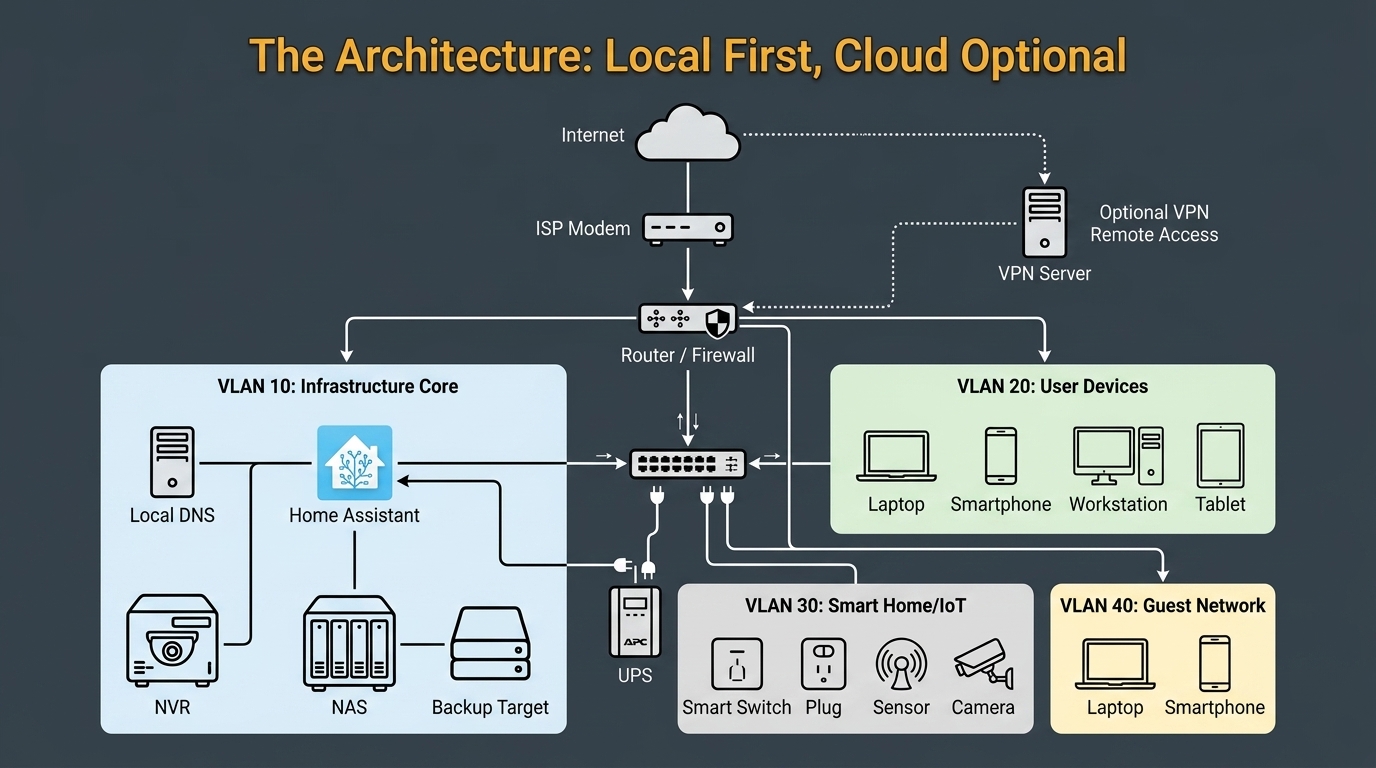
A practical baseline:
ISP modem
  -> router/firewall
  -> managed switch
  -> VLAN 10: trusted LAN        10.10.0.0/24
  -> VLAN 20: infrastructure     10.20.0.0/24
  -> VLAN 30: cameras            10.30.0.0/24
  -> VLAN 40: IoT                10.40.0.0/24
  -> VLAN 60: guest Wi-Fi        10.60.0.0/24

Infrastructure VLAN:
  10.20.0.10  local DNS / AdGuard / Pi-hole
  10.20.0.20  Home Assistant
  10.20.0.30  NAS
  10.20.0.40  NVR / Frigate
  10.20.0.50  monitoring
Do not copy these subnets blindly if they conflict with your network. The point is separation. Trusted devices, infrastructure, cameras, IoT, and guests should not all live in one cheerful flat subnet where every cheap device can poke everything else.
What Actually Needs to Be Local?
Local-first does not mean every byte must stay in the house forever. It means the primary operating path is local.
These should work without WAN:
- Home Assistant automations
- local DNS names for internal services
- NAS file access
- camera recording to NVR
- smart lock, sensor, light, and switch control through local radios
- dashboard access from the trusted LAN
- local backups from server to NAS or USB disk
- NTP from router, NAS, or local time source if devices need timestamps
These can depend on the internet:
- mobile push notifications
- off-site encrypted backup replication
- firmware downloads
- remote access through VPN or private overlay
- public package repositories during updates
- weather APIs or optional enrichments
The split matters. If the internet dies, you may lose remote notifications. You should not lose the ability to turn on hallway lights or record camera footage.
Local DNS Is the First Brick
Local DNS is boring until it breaks. Then every dashboard turns into a pile of IP addresses and browser warnings.
Use a private internal zone. home.arpa is not a made-up homelab suffix; RFC 8375 reserves it specifically for names inside residential networks.
ha.home.arpa       -> 10.20.0.20
nas.home.arpa      -> 10.20.0.30
nvr.home.arpa      -> 10.20.0.40
dns.home.arpa      -> 10.20.0.10
monitor.home.arpa  -> 10.20.0.50
Good options:
- router DNS, if it handles hostnames cleanly
- AdGuard Home
- Pi-hole
- Unbound for recursive DNS with local overrides
Do not publish public DNS records pointing to private dashboards just because it feels convenient. That is how “local service” quietly becomes “thing on the internet that you now have to defend.”
If your local resolver goes down, clients should still have a fallback path for general internet. But local service names should be documented well enough that you can recover them without guessing.
Home Assistant as the Local Control Plane
Home Assistant should run in the house, on hardware you can restart, back up, and put on a UPS. It can be a Home Assistant Green, a mini PC, or a VM/container on a home server. The exact box matters less than the recovery plan.
The local control plane should own:
- Zigbee and Z-Wave device control
- Matter controller behavior where appropriate
- MQTT broker integration
- local sensor state
- automations and scripts
- notification routing
- backup exports
The important pattern is that devices report to Home Assistant locally. For example, a Zigbee motion sensor should not need a vendor cloud to trigger a hallway light. A Z-Wave smart lock should not need an app server to report lock state. A local inverter gateway should not publish telemetry to some public broker just because LAN config was annoying.
For a deeper automation stack, A Local-First Home Server Software Stack That Does Not Fight You is the software layer. This article is the network and ownership model around it.
Storage and Backups Are Not the Same Thing
A NAS gives you central storage. It is not automatically a backup. Home Assistant’s own backup guidance recommends keeping a copy on another system and ideally another copy off-site.
For local-first ownership, split the jobs:
Primary data:
  - photos in Immich
  - documents on NAS
  - Home Assistant config
  - NVR recordings
  - Docker volumes

Local backup:
  - NAS snapshots
  - external USB backup disk
  - backup repository from server to NAS

Off-site backup:
  - encrypted cloud storage
  - rotated drive stored elsewhere
  - remote NAS at a trusted location
No-cloud purism gets silly here. If your house burns down and the only backup was on the shelf next to the server, congratulations, your data was locally owned right up to the point it stopped existing.
Use the cloud as a dumb encrypted storage target if it helps. The key difference is that your app should not require the cloud as the primary database for day-to-day use.
VLAN Rules That Match the Architecture
The local-first network should have rules that match device trust.
Example policy:
| Source | Destination | Rule |
|---|---|---|
| Trusted LAN | Infrastructure | Allow admin ports as needed |
| Infrastructure | IoT | Allow Home Assistant to required device APIs |
| IoT | Infrastructure | Deny new connections by default; stateful return traffic remains allowed |
| NVR | Cameras | Allow RTSP/ONVIF and required camera-management ports |
| Cameras | WAN | Deny unless a firmware/update exception is intentional |
| Guest | LAN/Infra | Deny |
| Guest | WAN | Allow |
Do not overcomplicate day one. A flat network with no plan is bad, but a fragile maze of rules nobody understands is not security either. Start with one trusted LAN, one infrastructure network, one IoT network, and one guest network. Add a camera VLAN when cameras enter the picture. This is not just homelab folklore: NIST’s small-business and home IoT guidance recommends separating higher-risk IoT devices from everyday computing devices.
For cameras, the working version is covered in How to Isolate IP Cameras on a VLAN Without Breaking Local Recording. The short version: let the recorder reach cameras, block cameras from wandering around the LAN, and provide local time/DNS if they need it.
Private Remote Access, Not Public Dashboards
Remote access is where local-first homes often get sloppy.
Good options:
- WireGuard into the home network
- Tailscale-style private overlay
- NetBird-style private overlay
- reverse proxy only for services that genuinely need public access
Bad default:
Forward port 8123 to Home Assistant because the app asked nicely.Use VPN or private overlay first. Give remote clients access to only what they need. A phone on VPN may need Home Assistant and Immich. It does not need every camera admin page, NAS admin panel, switch UI, and router login. Flat remote access is just a LAN mistake with better travel options.
Power Is Part of the Design
If the router, switch, Home Assistant host, and NAS all lose power during a small outage, your local-first design is mostly decorative.
Minimum UPS coverage:
- modem or ONT
- router/firewall
- core switch
- Wi-Fi access point if needed for phones/tablets
- Home Assistant host
- NAS or NVR if recording/backups matter during outage
Set expectations. A small UPS may run the network for 20 to 60 minutes, not all night. That is still enough to survive short outages, graceful shutdowns, and the annoying power blips that corrupt cheap setups.
If the NAS supports USB shutdown signaling, use it. If Home Assistant monitors UPS state, add alerts. “The UPS beeped and everyone ignored it” is not a monitoring strategy.
Verification Test
Run the test on purpose:
- Save current router config.
- Confirm local DNS names work.
- Confirm Home Assistant dashboard loads from LAN.
- Confirm NAS file access works.
- Confirm one automation runs locally.
- Confirm NVR continues recording.
- Disconnect WAN at the modem or router.
- Repeat steps 2 through 6.
- Reconnect WAN.
- Confirm notifications and off-site services recover.
Do this before you brag that the house is no-cloud. Reality has a way of reviewing architecture more harshly than blog posts.
What This Architecture Does Not Solve
Local-first does not solve bad backups, weak passwords, unpatched software, exposed admin panels, or mystery containers. It also does not make every cloud feature evil. Some cloud services are useful. The question is whether they are optional.
The goal is simple: when the internet, vendor account, app login, DNS provider, or subscription model fails, the house still behaves like your house.
That is the line.
Keep reading
Related guides
Reduce Food Waste With Local OCR, Private RAG and Fridge Photos
Turn fridge photos into a private local inventory with OCR, recipe retrieval and honest date-label alerts that require confirmation.
Build a Digital Home That Still Works Without the Internet
Design a local-first digital home where lights, locks, cameras, automations, files, and dashboards keep working during internet outages.
How to Migrate a Smart Home From Cloud-Dependent to Local-First
Move cameras, automations, storage, DNS, and remote access toward local-first control without breaking the house in one weekend.