A Local-First Home Server Software Stack That Does Not Fight You
Build a home server software stack around Docker, local DNS, backups, monitoring, photos, storage, and private access.
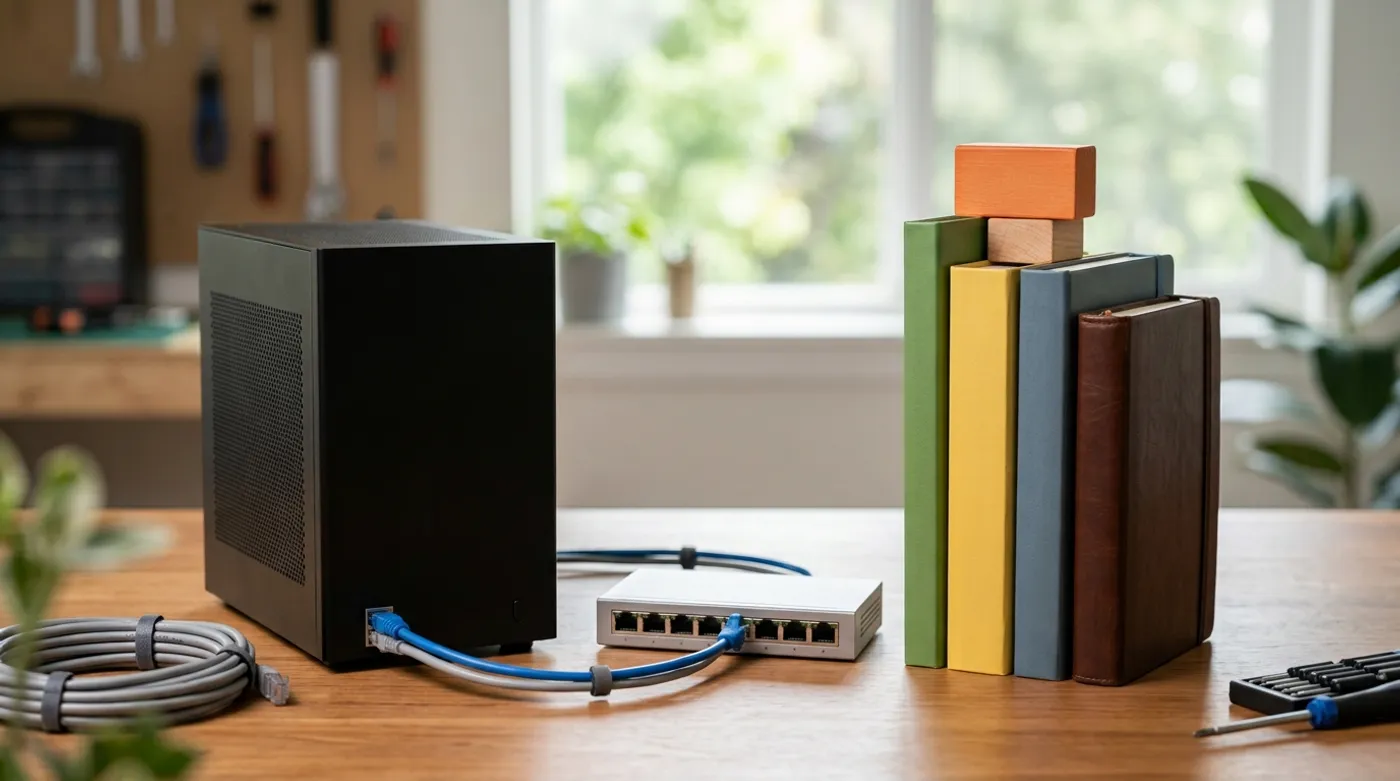
Build a home server software stack around Docker, local DNS, backups, monitoring, photos, storage, and private access.
The best home server stack is usually smaller than the one people post screenshots of. A long dashboard full of containers looks impressive until you have to update it, back it up, and remember why half of it exists.
Start with infrastructure, then add apps. If DNS, storage, backups, and updates are messy, every container inherits that mess. Docker will not save you from a bad operating model.
The Base Layer: Linux, SSH, and Docker Compose
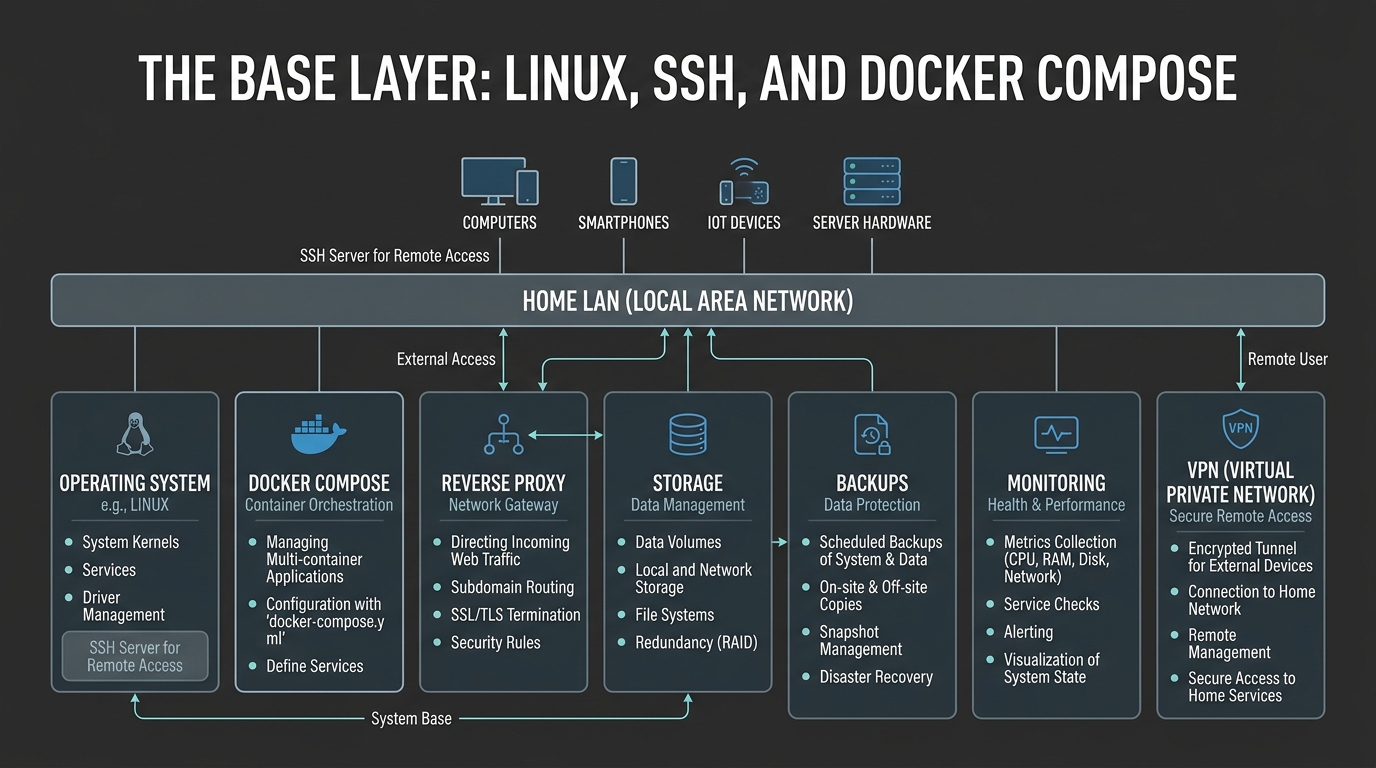
For most home users, a plain Linux server with Docker Compose is enough. It is portable, widely documented, and not locked to a vendor UI. The trick is keeping compose files and volumes organized before the server turns into a junk drawer.
A practical layout is:
/srv/stacks/
  caddy/
  adguard-home/
  immich/
  home-assistant/
/srv/appdata/
/srv/storage/
/srv/backups/
Each stack gets its own folder. Each folder gets a compose.yml. Avoid one giant compose file for the whole server unless you are intentionally managing it as one unit. Separate stacks make updates and restores less stressful.
Local DNS Is the First Quality-of-Life Upgrade
Local DNS turns http://10.10.0.20:2283 into https://photos.home.arpa or another private name you control. It also keeps local services local. Your phone should not need public DNS to find a server on the same LAN.
Good local DNS candidates include:
- your router, if it handles hostnames cleanly
- AdGuard Home
- Pi-hole
- Unbound paired with a local resolver
Use a private internal zone and document it. Do not make public DNS records for private dashboards unless you understand the exposure model.
Reverse Proxy, But Only Internally at First
A reverse proxy such as Caddy, Traefik, or Nginx Proxy Manager can give services cleaner URLs and TLS. That does not mean every service should be published to the internet.
A local-first proxy can terminate TLS on the LAN and route:
photos.home.arpato Immichha.home.arpato Home Assistantdns.home.arpato AdGuard Homefiles.home.arpato a file service
This gives users friendly names without turning the server into a public target. Remote access can come later through WireGuard, Tailscale-style overlays, NetBird-style overlays, or another private access method. Do not make a service public just because typing a local port annoys you.
Storage Services: Keep Them Boring
For storage, choose boring over impressive. SMB shares are still useful. A simple NAS UI is useful. A folder that gets backed up is more valuable than a complicated distributed system you do not understand.
Recommended first services:
- SMB for local file sharing
- Syncthing for selective device sync
- Immich for photo and video backup
- a backup tool such as Restic, Borg, Kopia, or filesystem snapshots
Do not confuse sync with backup. If a delete instantly syncs to every device, you built a very efficient mistake distribution system.
Monitoring: Enough to Notice Failure
Home server monitoring should answer simple questions:
- Is the server up?
- Are disks filling?
- Did backups run?
- Are containers restarting repeatedly?
- Is the UPS on battery?
You do not need enterprise dashboards for that. A lightweight status page, SMART checks, Docker restart alerts, and backup logs are already a strong start.
Suggested First Stack
For a practical local-first setup, start with:
- Docker Compose for app deployment
- AdGuard Home or Pi-hole for local DNS and filtering
- Caddy or Traefik for internal reverse proxy
- Immich for photos
- Home Assistant for automation
- Syncthing or SMB for file movement
- Restic, Borg, or Kopia for backups
- Uptime Kuma or another lightweight monitor
Install one layer at a time. Verify each service can be backed up before adding the next one.
What I Would Skip at First
Skip anything that forces complex public exposure before you have the basics right. That includes public file sharing, public dashboards, mail servers, and identity systems you do not yet know how to recover.
Also skip app sprawl. If a service does not solve a real problem in your house, it adds update work, ports, credentials, and backup state for no benefit.
A good stack should feel almost plain. Local DNS, internal TLS, reliable storage, boring backups, then apps. Once the server holds real photos, documents, or automation, boring becomes a feature.
Keep reading
Related guides

Gemma 4 Audio Local Inference: What Works Offline and What Does Not
Test Gemma 4 audio locally for transcription and translation, with realistic runtime, format, memory and latency limits.
How Much Hardware Does a Private ChatGPT Actually Need?
Size CPU, RAM, VRAM and storage for Open WebUI, Ollama, local RAG and multiple users without buying an oversized AI server.
Local RAG With Open WebUI: Chat With Documents Without the Cloud
Build an offline Open WebUI RAG workflow for PDFs with local embeddings, practical chunking, evidence checks and private storage.