Troubleshoot Modbus RTU to MQTT Inverter Readings
Fix silent RS-485 buses, wrong register values, stale MQTT topics, and Home Assistant sensor problems in inverter telemetry.
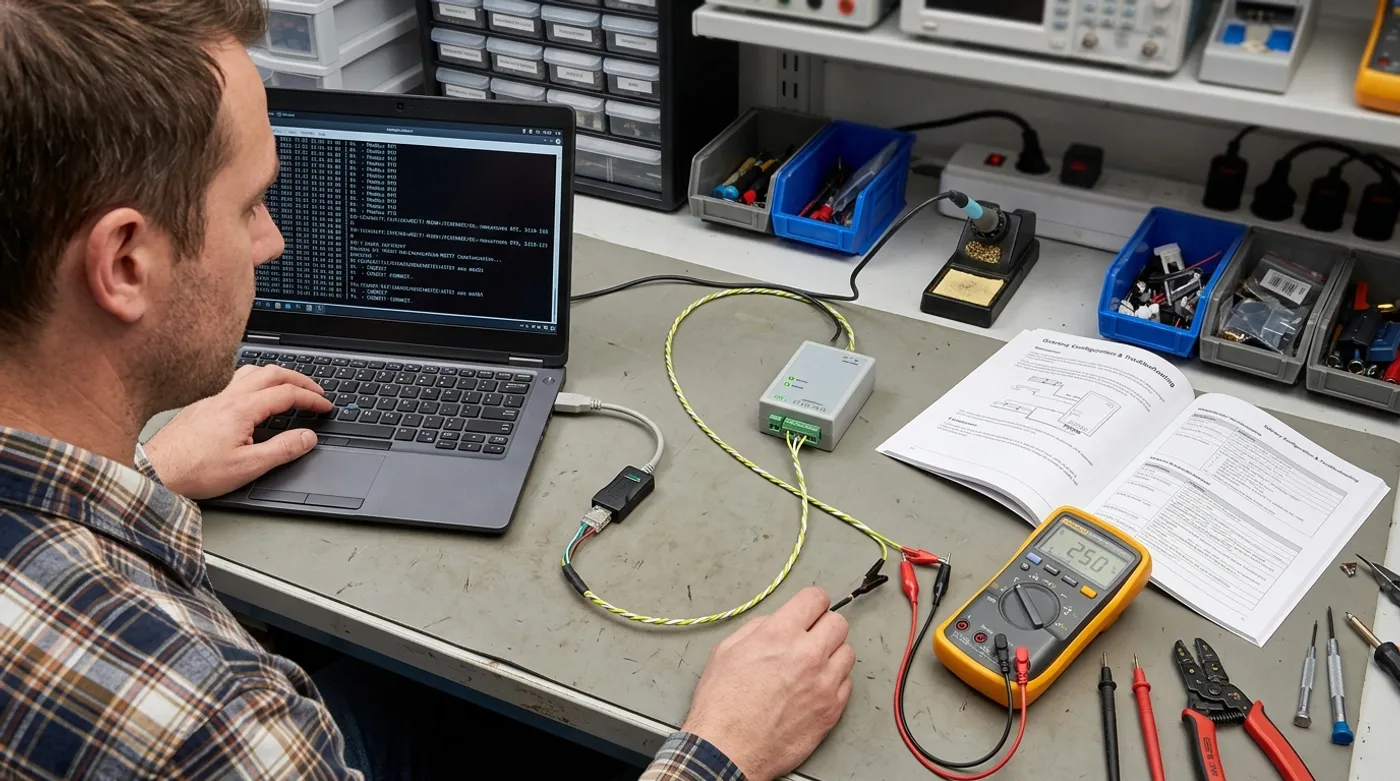
Fix silent RS-485 buses, wrong register values, stale MQTT topics, and Home Assistant sensor problems in inverter telemetry.
Modbus RTU to MQTT failures are rarely mysterious. They just look mysterious because the stack crosses electrical wiring, serial settings, register maps, MQTT topics, and Home Assistant entity behavior. Naturally, every layer has its own way to fail while looking like the other layer’s fault.
The sane debugging strategy is to split the system apart. First prove the RS-485 bus. Then prove Modbus responses. Then prove MQTT. Then prove Home Assistant. If you change all four at once, the only thing you learn is that chaos is technically a methodology.
The System You Are Debugging

Most local inverter telemetry stacks look like this:
Inverter RS-485
  -> Modbus RTU master
  -> MQTT publisher
  -> MQTT broker
  -> Home Assistant MQTT sensors
The Modbus master might be:
- USB RS-485 adapter on a Linux host
- ESP32 with RS485 module
- Elfin EW11 RS485 Wi-Fi gateway
- commercial Modbus-to-MQTT gateway
- industrial edge server
The debugging order stays the same regardless of hardware.
Failure Case 1: The Serial Port Does Not Exist
Symptoms:
/dev/ttyUSB0missing- poller exits before reading
- container cannot see the adapter
- USB adapter works on laptop but not on the server
Check:
ls -l /dev/ttyUSB*
dmesg | tail -50
lsusb
If running in Docker, pass the device explicitly:
services:
  modbus-poller:
    devices:
      - /dev/ttyUSB0:/dev/ttyUSB0
Also check permissions. On many Linux systems, serial access requires membership in dialout or similar:
sudo usermod -aG dialout youruserThen log out and back in. Yes, actually log out. No, yelling at chmod 777 is not a security model.
Failure Case 2: Every Modbus Read Times Out
Symptoms:
- serial port opens
- every register read times out
- no exception response
- no partial data
Likely causes:
- A/B wires reversed
- wrong slave ID
- wrong baud rate
- wrong parity
- inverter Modbus disabled
- bus is not terminated correctly
- another master is already polling
Start with a direct read tool before involving MQTT:
mbpoll -m rtu -a 1 -b 9600 -P none -t 3 -r 1 -c 10 /dev/ttyUSB0Those values are examples, not universal defaults. Slave ID 1, 9600 baud, no parity, input-register reads, start register 1, and count 10 are only a safe starting shape for the command. Use the inverter manual for the actual slave address, baud rate, parity, function/register type, and register range. Many solar inverters use 9600 or 19200 baud, but the manufacturer wins that argument every time.
If the first read fails, swap A/B once and retest. Once. If you are swapping wires every thirty seconds while changing software settings, you are generating your own outage.
Failure Case 3: You Get Modbus Exceptions
Timeout means silence. Exception means the device heard you and disliked your request. That is progress, in the same way a compiler error is progress.
Common exceptions:
- illegal function
- illegal data address
- illegal data value
- slave device busy
What to check:
- holding registers vs input registers
- zero-based vs one-based addressing
- register range
- count too large
- function code expected by the inverter
Many manuals list register 30001 or 40001, while libraries expect address 0. That offset has burned enough weekends to deserve its own small monument.
Failure Case 4: Values Are Present but Obviously Wrong
Examples:
- battery SOC says
6553.5% - PV power is negative at noon
- grid import and export are reversed
- daily yield looks like a phone number
Likely causes:
- scale factor missing
- signed value decoded as unsigned
- 32-bit register word order wrong
- wrong endian setting
- wrong model register map
- firmware version changed the map
Debug by publishing raw and decoded values side by side:
{
  "raw": [0, 1234, 65535, 42],
  "pv_power_w": 1234,
  "battery_soc_percent": 42
}
Compare against the inverter screen at multiple operating points. Night, sunrise, charging, discharging, grid import, and grid export all expose different mistakes. If you validated at exactly one moment, you mostly validated your optimism.
Failure Case 5: MQTT Broker Receives Nothing
If Modbus reads work but MQTT is empty, the inverter is done being involved.
Test the broker:
mosquitto_sub -h 10.20.0.20 -t 'solar/inverter/#' -v
mosquitto_pub -h 10.20.0.20 -t 'solar/inverter/test' -m 'hello'
Check:
- broker IP and port
- username and password
- TLS settings
- firewall rules
- Docker network
- retained messages hiding old tests
- topic prefix mismatch
For a local-first setup, keep the broker local. Publishing inverter data to a public MQTT broker because the LAN config is annoying is exactly how a small telemetry project becomes a future incident report.
Failure Case 6: MQTT Works but Home Assistant Is Blank
This is usually configuration, not telemetry.
Check:
- MQTT integration is connected
- topic spelling matches exactly
- YAML indentation is valid
- entity is not disabled
- payload is numeric if Home Assistant expects numeric
- unit and device class are compatible
expire_afteris not too short
Manual test:
mosquitto_pub -h 10.20.0.20 -t 'solar/inverter/pv_power_w' -m '1200'If Home Assistant still does not update, stop touching Modbus. The bus already did its job.
Failure Case 7: Values Freeze but Look Normal
Frozen telemetry is worse than a red error. It quietly lies.
Fix with:
- availability topic
- last successful poll timestamp
- Home Assistant
expire_after - explicit error topic
- dashboard card showing data age
MQTT topic plan:
solar/inverter/availability
solar/inverter/last_success
solar/inverter/debug/last_error
solar/inverter/pv_power_w
If the gateway cannot read the inverter for 60 seconds, Home Assistant should show unavailable. It should not keep claiming yesterday’s last good value is still happening.
Failure Case 8: The Bus Works Until You Install It Properly
The bench test works. Then you move the gateway into the inverter cabinet and everything falls apart. This is very normal, and also very irritating.
Likely causes:
- cable run is longer
- cable is routed near AC wiring
- grounding changed
- termination is now wrong
- Wi-Fi got worse
- enclosure heat affects the gateway
- power supply is noisy
Fix:
- use proper twisted pair
- separate data from mains wiring
- check termination at the ends of the bus
- use a stable DIN rail power supply
- move Wi-Fi antennas outside metal enclosures
- consider wired Ethernet for the gateway
This is the point where a commercial gateway or Linux host starts looking less like overkill and more like buying back your weekend.
A Debugging Order That Actually Works
Use this order:
- Confirm serial device exists.
- Confirm inverter responds with a direct Modbus tool.
- Confirm raw registers match the manual.
- Decode values and compare against the inverter screen.
- Publish one metric to MQTT.
- Subscribe from the command line.
- Add Home Assistant sensors.
- Add availability and stale-data handling.
- Only then build automations.
Do not automate from untrusted telemetry. If battery SOC is wrong, PV power is stale, or grid export is reversed, the automation is not smart. It is just confidently wrong.
What to Automate After It Is Stable
Once readings are stable, useful automations include:
- turn on water heating when solar export is high
- delay discretionary loads when battery SOC is low
- notify when inverter status changes
- log daily yield locally
- compare inverter telemetry with utility meter data
- alert when telemetry goes stale
Be careful with any automation that touches battery behavior. Delaying loads from a low-SOC reading is usually a read-only decision, but writing to inverter or battery-control registers is a different risk class. Do not write charge, discharge, cutoff, or load-control values until you have confirmed the manufacturer’s safety limits, especially over-discharge protection and warranty constraints.
Keep write control separate. Reading Modbus is one risk level. Writing inverter registers is another. The first gives you data. The second can change behavior. Treat them accordingly.
Keep reading
Related guides
AI Energy Management With Home Assistant and EMHASS
Use EMHASS with solar forecasts, dynamic tariffs, EV charging constraints and deterministic Home Assistant fallbacks.
Build a Local AI Irrigation System With Soil Sensors and Weather RAG
Combine calibrated soil sensors, local climate history and guarded Home Assistant automations for private, water-aware irrigation.
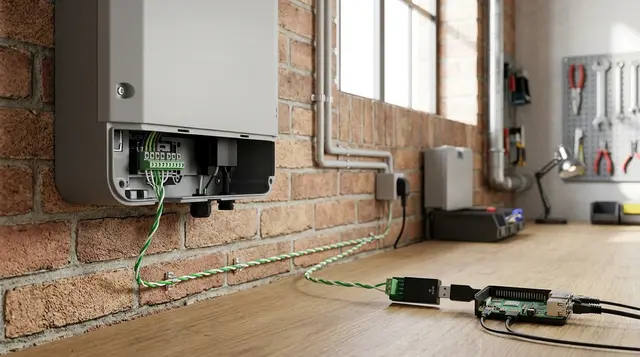
Read a Solar Inverter Over Modbus RTU and Publish It to MQTT
Build a local Modbus RTU to MQTT path for solar inverter telemetry without depending on a vendor cloud dashboard.