Meshtastic without internet: test two nodes before planning a mesh
Set up a two-node Meshtastic test, separate Bluetooth from LoRa, check matching settings, and record what offline messaging actually proves.
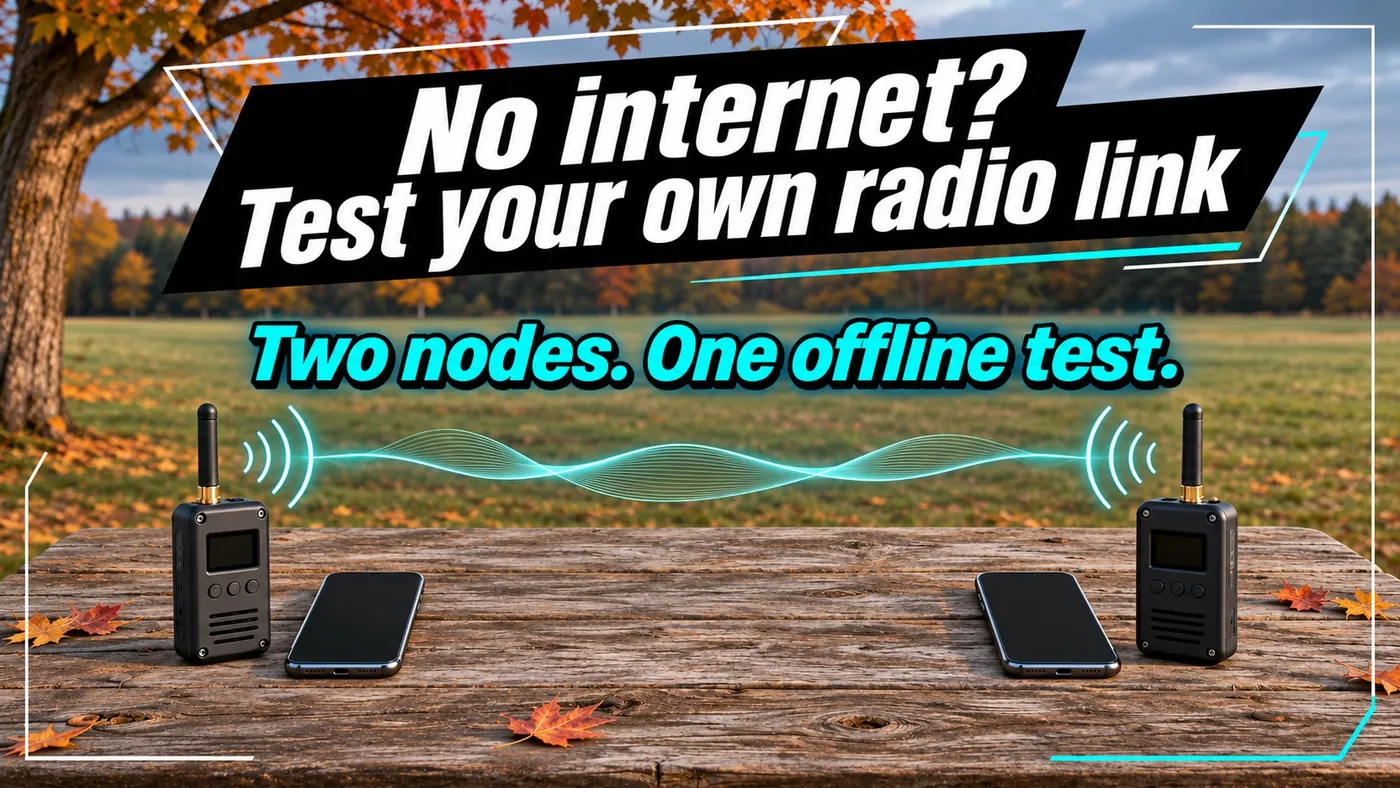
Set up a two-node Meshtastic test, separate Bluetooth from LoRa, check matching settings, and record what offline messaging actually proves.
A radio appearing in your phone’s Bluetooth list proves that the phone can see that radio. It does not prove that a second radio can receive your messages. Start a Meshtastic project by separating those two links, then testing each one.
Two nodes are enough for a useful first experiment: exchange short messages with internet connectivity removed and record when delivery stops. You do not need to build a solar repeater, discover a community network or buy a third radio to answer that question.
The deliverable is a short coverage record for places you use, plus an instruction card another person can follow. Buy the third radio after you can explain what the first two failed to do. A shopping cart is an expensive troubleshooting tool.
Follow the message through the equipment
For this exercise, use two compatible Meshtastic radios, their correctly matched antennas, two phones with the appropriate client installed, and a reliable power source for each radio. Install the software and obtain the firmware while you still have connectivity. Attach the correct antenna before transmitting, following the board manufacturer’s instructions.
The Meshtastic introduction describes an off-grid messaging platform using LoRa. In a phone-based setup, the phone provides the interface while the radio provides the long-distance link. An internet-connected MQTT bridge is an additional path, not a requirement for the radio experiment below.
Match settings instead of assuming identical defaults
Set the region appropriate to where you are operating, and use hardware and antennas suitable for that band. A region selection is not a substitute for checking local equipment and operating requirements. Do not copy a frequency or power setting from an overseas tutorial just because the board looks the same.
Both nodes need compatible LoRa settings, including the modem preset and frequency slot. To exchange channel messages, they also need the intended channel configuration and key. A private channel name alone is not a privacy guarantee.
The current joining guide explains why defaults can differ depending on setup path. Explicitly compare the settings on your two devices. Use channel-sharing tools deliberately, and treat any shared private-channel configuration as a credential.
The encryption reference explains that the default public channel key is published. Use a private configuration when the content should be restricted, and review location-sharing settings before sending anything. For the first experiment, use harmless numbered messages rather than personal information.
Establish a baseline before walking away
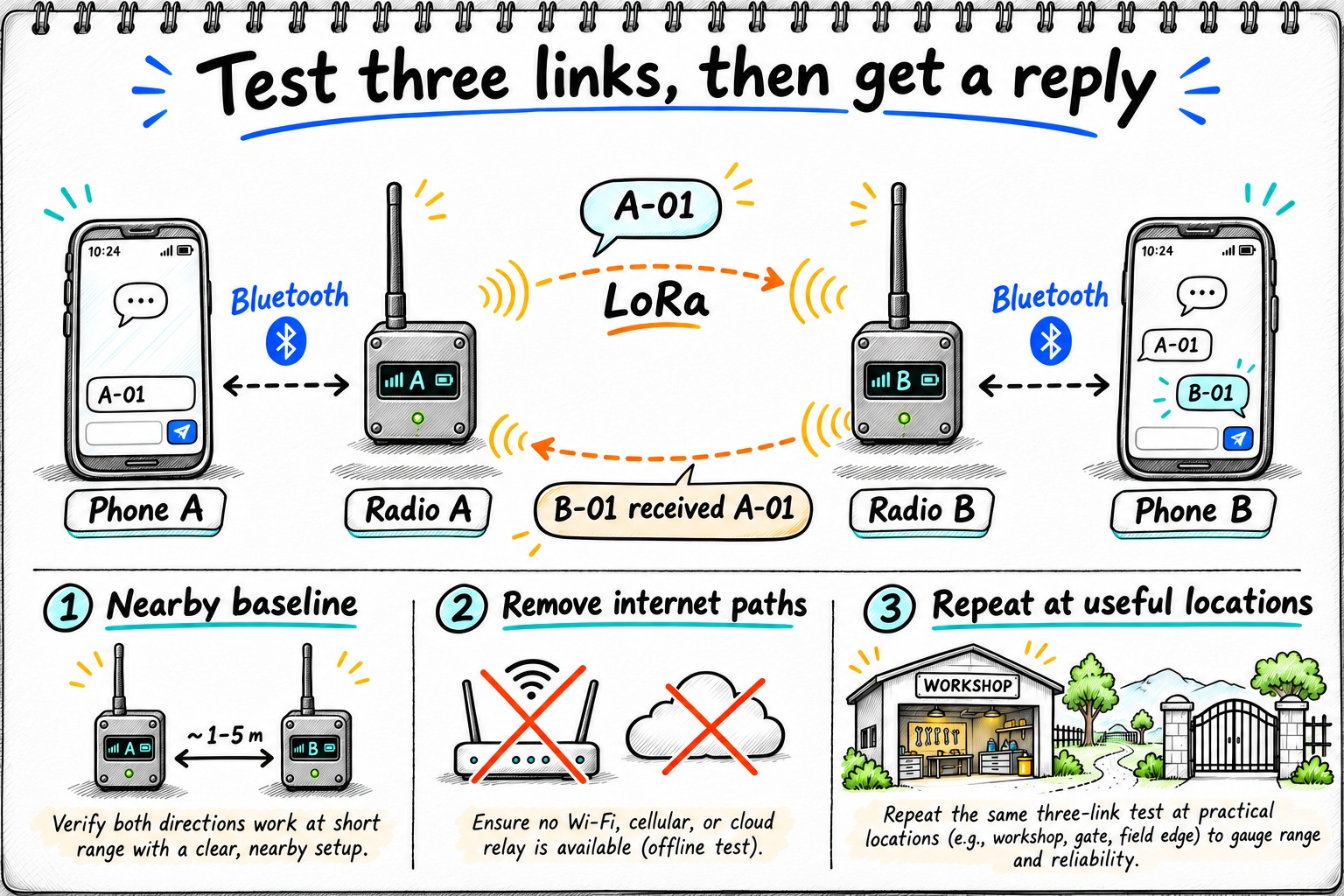
Keep both radios a few meters apart in a clear location, rather than pressing their antennas together. Confirm each phone is connected to its own radio. Use the normal client role recommended for ordinary nodes; do not select a router role simply because you want more range. The configuration tips discuss role selection and unnecessary network traffic.
Send A-01 from phone A. Have the person holding phone B read it and reply B-01 received A-01. Then reverse the direction. An explicit reply establishes that a person saw the message; an entry in your own chat history does not establish that.
If the baseline fails, stay in place. Check power, client connection, region, preset, slot and channel configuration before changing antennas or adding nodes. Change one setting at a time and repeat the same pair of messages. Randomly editing several settings can produce a working pair without teaching you which mismatch caused the failure.
Remove internet access and repeat the exchange
On each phone, disable cellular data and Wi-Fi. If you use airplane mode, turn Bluetooth back on and verify that the client reconnects. Also disable any radio-side Wi-Fi uplink, MQTT connection or client MQTT proxy used by your configuration. Keep the radio experiment independent of a broker path.
Repeat the numbered exchange in both directions. Restart one client connection and repeat again, so the procedure checks reconnection as well as a session that was already open. Downloaded maps and older message history can remain visible offline; use new message numbers to distinguish fresh delivery from cached information.
This is a practical offline check, not a packet-level certification that a message followed a particular route. A nearby community node may relay traffic even if you own only two radios. Document whether you are testing direct coverage or simply successful delivery through whatever local radio network is available. Do not infer a direct link from distance alone.
Make the result useful to your actual property
Choose a short route that includes the places where messaging matters: inside the workshop, behind the house, at the gate. Keep one radio in a fixed position and move the other. At each location, exchange a small number of numbered messages in both directions, leaving time between transmissions. Avoid rapid repeated tests that occupy shared airtime unnecessarily.
Record these fields in a notebook:
| Field | What to record |
|---|---|
| Location and obstacles | Buildings, terrain and whether antennas are indoors |
| Configuration | Firmware, preset, frequency slot and node role |
| Position | Approximate antenna height and orientation |
| Delivery | Messages sent and visibly received in each direction |
| Timing | Approximate delay, including unusually slow delivery |
| Power | Battery state and any restarts |
There are deliberately no sample delivery numbers here: your route has not been measured. Repeat the locations that matter on another day before treating them as dependable coverage. A hilltop result is not evidence that a radio inside a metal shed will work.
Turn a failed exchange into the next test
Use the last successful step to decide where to investigate:
| Observed failure | Next controlled check |
|---|---|
| Phone cannot connect to its own node | Check that node’s power and local client connection before touching LoRa settings |
| Both clients connect, but the nearby pair cannot exchange messages | Compare region, preset, frequency slot and channel configuration |
| Nearby exchange works, workshop exchange fails | Repeat with a clearer antenna position while retaining the same configuration |
| Messages work until a client restarts | Rehearse reconnection and confirm the selected local node and channel |
Do not publish channel keys in the coverage record. Record a configuration label and keep the actual private configuration separately. Leave unknown causes marked unknown: an absent reply alone cannot distinguish interference, a sleeping device and a person who missed the message.
What this test leaves unanswered
A working pair does not establish emergency-service reliability, multi-hop capacity or solar autonomy. It also does not turn LoRa into a link for camera streams, large attachments or ordinary web browsing. Keep any existing communications plan while you evaluate the radios.
If delivery fails at one location, try a safer, clearer antenna position before buying more equipment. If that changes the result, you have learned something specific about placement. If the messages work but reconnection is confusing for another household member, simplify the operating instructions before extending the network.
Save the working configuration securely and write a short instruction card: power on, connect to the named local radio, select the intended channel, send a numbered check, wait for a reply. That gives the next experiment a repeatable starting point.
Keep reading
Related guides
LoRa vs LoRaWAN vs Meshtastic: choose a network for property sensors
Choose a radio architecture for outbuildings and property sensors. Compare LoRaWAN, Meshtastic and custom LoRa links by data path and failure modes.
Self-host Postiz on an OptiPlex: wake, publish, then power off
Build a Docker social scheduler on an i5 OptiPlex with 16 GB RAM: AI submissions, BIOS wake, verified publishing and guarded shutdown without a VPS.
AI Energy Management With Home Assistant and EMHASS
Use EMHASS with solar forecasts, dynamic tariffs, EV charging constraints and deterministic Home Assistant fallbacks.