How to Run a Local Coding LLM With Only 4GB or 8GB of VRAM
Run a useful local coding model on limited VRAM by controlling quantization, context, KV cache and CPU offload.
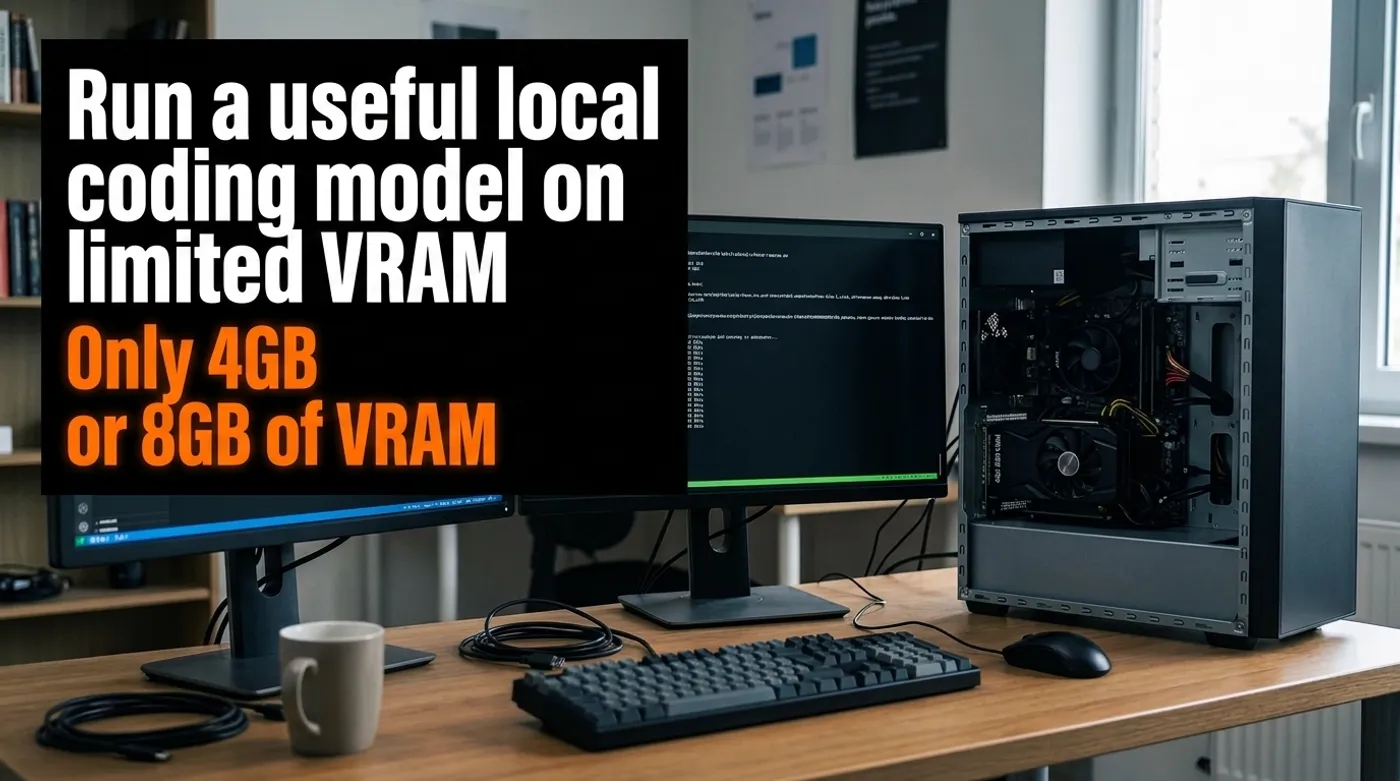
Run a useful local coding model on limited VRAM by controlling quantization, context, KV cache and CPU offload.
A 4 GB or 8 GB GPU can run a useful local coding assistant. The compromise starts when people expect the same card to load every model, index a monorepo, accept a 64K prompt, and stay fast because the download page says “quantized.” Those are separate memory bills, and VRAM eventually sends the invoice.
The practical goal is smaller: keep proprietary code on your machine, get useful C# and API suggestions, and make latency tolerable on hardware you already own. That works when you choose the model and context for the card instead of trying to bully the card into somebody else’s benchmark.
Where the Memory Goes
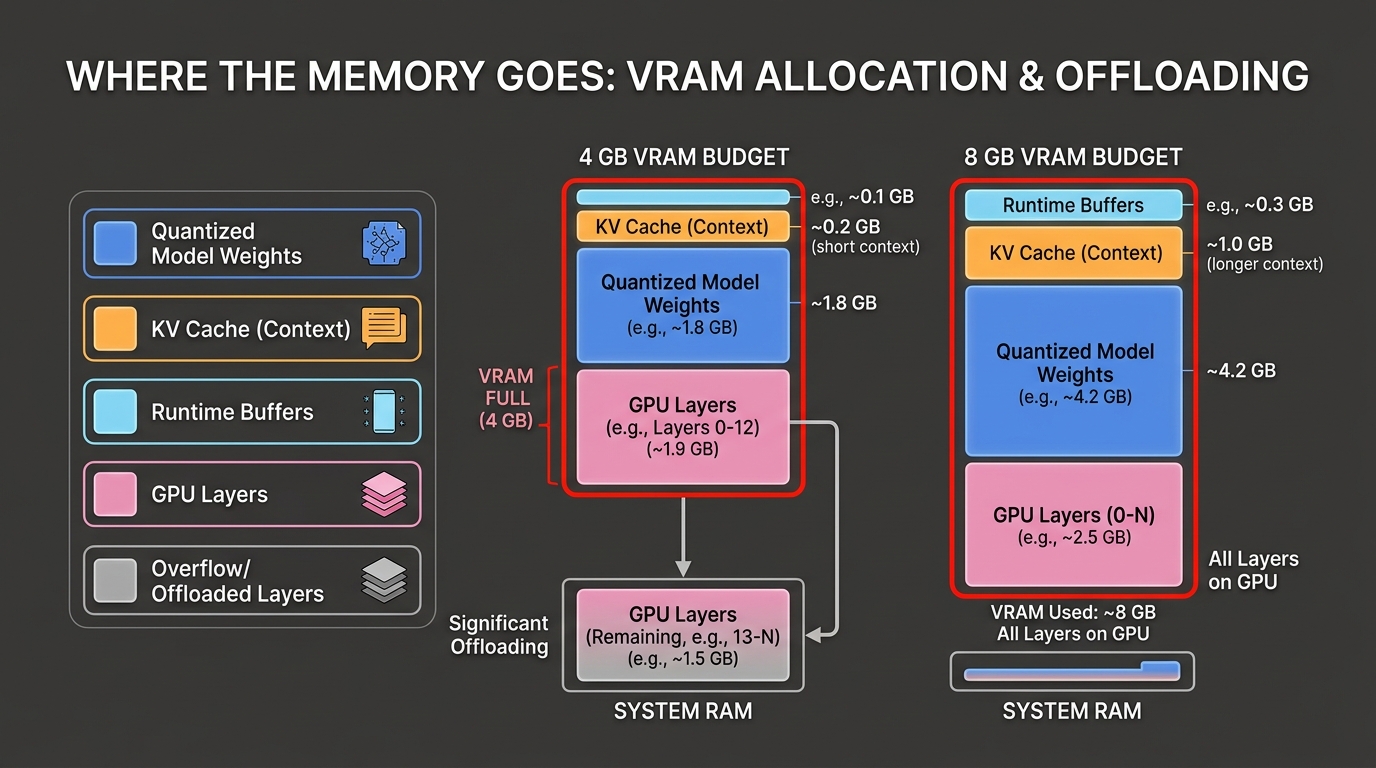
Four things compete for memory:
- Model weights: reduced by quantization.
- KV cache: grows with context length, model architecture, cache type and concurrent requests.
- Runtime buffers: backend-dependent working memory.
- Other GPU users: the desktop, browser, video decoder, camera inference, or another model.
This is why a 4.5 GB model file is not a sensible target for a 4 GB card, and why a 7 GB file on an 8 GB card may load but fall apart with a long prompt.
Google’s Gemma 4 model overview publishes approximate Q4_0 loading figures of 2.9 GB for E2B, 4.5 GB for E4B, and 6.7 GB for 12B. Google also warns that the runtime and environment affect the result. Treat those values as a starting point, not a promise that every context size will fit.
Choose the Right Model Class
For 4 GB VRAM, start with a roughly 1.5B to 4B dense model in a four-bit quantization. A smaller model that stays entirely or mostly on the GPU is often more pleasant than a larger one dragging layers across system memory.
For 8 GB VRAM, 4B to 8B quantized models are the practical zone. Some larger or unusual architectures may fit with aggressive quantization or partial offload, but “it generated one token” is not the same as a useful coding setup.
Model size is not the only quality signal. A smaller model trained or tuned for code can beat a larger general model on completion, repository navigation, or tool use. Test the languages and frameworks you use. Python benchmark fame does not automatically produce correct ASP.NET dependency injection.
Quantization Without the Mysticism
Quantization stores model weights at lower precision. In llama.cpp, GGUF models can use several integer quantization formats. Four-bit variants such as Q4_K_M are common because they offer a useful balance between size and quality.
The rough trade-off is:
- lower-bit quantization uses less memory;
- lower precision can reduce quality;
- a smaller high-quality model may outperform a badly compressed larger model;
- re-quantizing an already quantized file can make quality worse.
The official llama.cpp quantization documentation explicitly warns about re-quantization. Download a reputable quantization generated from the original weights, or quantize from a high-precision source yourself. Do not keep compressing a random GGUF until it fits and then blame the model for forgetting braces.
Start With a 4K Context
Coding tools love to advertise enormous context windows. Your GPU does not have to participate in the marketing.
Start at 4,096 tokens. That is enough for:
- one focused class or endpoint;
- the error message and relevant call stack;
- a small interface plus its implementation;
- a unit test and the method under test;
- a concise architectural instruction.
Move to 8,192 only after measuring memory and latency. For a local assistant, good retrieval and careful file selection beat dumping the repository into one prompt.
Long context also creates a quality problem. A model can technically accept more tokens and still pay less attention to the part that matters. Send the relevant code, project conventions, and compiler error. Leave bin, generated clients, migrations, and bundled JavaScript out of the prompt.
Use llama.cpp for Explicit Control
llama.cpp supports CPU and GPU hybrid inference, which is exactly what limited VRAM needs. Its server exposes --gpu-layers, --ctx-size, and automatic fitting controls.
A conservative Windows example:
llama-server `
  --model "C:\models\coding-model-Q4_K_M.gguf" `
  --host 127.0.0.1 `
  --port 8080 `
  --ctx-size 4096 `
  --gpu-layers auto `
  --fit on
Important details:
127.0.0.1keeps the API off the LAN.--ctx-size 4096prevents a huge default context from consuming the budget.--gpu-layers autoallows the runtime to choose GPU placement.--fit onlets currentllama.cppadjust unset fitting parameters, with a default device-memory margin.
The flags are documented in the official llama.cpp server reference. Check the version you installed because local inference projects change faster than most screenshots age.
If automatic fitting is unstable on your machine, reduce context first. Then reduce GPU layers or choose a smaller quantization. Increasing Windows page file size can prevent an immediate crash, but it does not turn storage into fast model memory.
Ollama Is Easier, but Keep the Context Honest
Ollama is convenient for downloading models and exposing a local API. For a custom GGUF, a minimal Modelfile can keep the context under control:
FROM ./models/coding-model-Q4_K_M.gguf
PARAMETER num_ctx 4096
PARAMETER temperature 0.2
Create and run it:
ollama create coding-local -f .\Modelfile
ollama run coding-local
Low temperature is useful for focused code work, but it does not make output correct. Compile, test, and review every change. A local hallucination preserves privacy while still breaking production.
CPU Offload: Slower Is Better Than Crashed
When the model does not fit, llama.cpp can keep part of it in system RAM and offload selected layers to the GPU. This is useful, but the PCIe bus and CPU become part of every response.
For hybrid inference:
- 16 GB system RAM is the minimum I would tolerate;
- 32 GB is the practical target for an 8 GB GPU workstation;
- dual-channel memory matters;
- an SSD helps model loading but does not replace RAM;
- prompt processing may feel much slower than token generation.
Tokens per second after generation starts tell only part of the story. Measure:
- model load time;
- time to first token;
- prompt-processing time;
- generation rate;
- peak VRAM;
- peak system RAM.
For coding, time to first useful answer matters more than a flashy generation number.
A Practical 4 GB Profile
Use this as a starting configuration:
Model class:       1.5B to 4B
Quantization:      Q4_K_M or similar four-bit format
Context:           4096
Concurrent users:  1
GPU offload:       automatic, then tune
System RAM:        16 GB minimum, 32 GB preferred
Repository input:  selected files only
Good jobs:
- explain a compiler error;
- draft one unit test;
- convert a small method from synchronous to asynchronous code;
- generate a DTO from a provided contract;
- review one controller for obvious validation gaps.
Bad jobs:
- autonomous refactoring across a large solution;
- ingesting the entire repository;
- running a coding agent with many parallel tool calls;
- holding multiple long sessions in memory.
A Practical 8 GB Profile
Model class:       4B to 8B
Quantization:      Q4_K_M or Q5 when it fits
Context:           4096 to 8192
Concurrent users:  1
GPU offload:       mostly or fully on GPU
System RAM:        32 GB preferred
Repository input:  retrieval plus selected files
At 8 GB, Gemma 4 E4B or a Qwen3 4B-class model leaves more operational room than forcing a 12B model into the card. Gemma 4 12B at the published Q4_0 estimate may fit in some 8 GB configurations, but context and runtime overhead make it tight. Use it because your own test shows a quality gain, not because 12B looks better in a filename.
The detailed model choice is covered in Qwen3 vs Gemma 4 for Local Coding: Which Model Fits Your Hardware?.
Connect It to Visual Studio Without Exposing the API
IDE extensions that support an OpenAI-compatible endpoint can often use a local llama.cpp server. Bind the server to loopback and point the extension at:
http://127.0.0.1:8080/v1Binding an unauthenticated inference server to 0.0.0.0 just so another laptop can reach it is a poor shortcut. If LAN access is required, put a reverse proxy with authentication in front of it, restrict the firewall source addresses, and keep the service off public port forwarding.
Also decide what the extension may send. Exclude:
.envfiles;- production connection strings;
- private keys and certificates;
- customer exports;
- secrets embedded in test fixtures;
- generated directories that waste context.
“Local” describes where inference runs. It does not automatically make every plugin, indexer, or telemetry setting private.
Build a Small C# Test Before Trusting It
Create a fixed test pack from code you are allowed to use:
- Repair an async cancellation bug.
- Add validation to a minimal ASP.NET endpoint.
- Write xUnit tests for a service with two dependencies.
- Explain a nullable-reference warning.
- Review a deliberately unsafe SQL construction.
Score compilation, test success, unnecessary edits, invented APIs, and explanation quality. Run the same prompts after every model or quantization change.
This gives you a benchmark that matches your work. A leaderboard cannot tell you whether a model keeps inventing packages that do not exist in your solution.
Stop Tuning When It Becomes Useful
The best low-VRAM setup is not the largest model you can make load. It is the smallest configuration that consistently saves time.
If a 4B model at 4K context explains errors, drafts tests, and keeps private code on the workstation, the setup is already doing its job. Chasing a larger model through page-file tweaks, thermal throttling, and thirty-second first-token latency can become a hobby. That is fine, but it is no longer productivity.
Keep reading
Related guides
Gemma 4 Audio Local Inference: What Works Offline and What Does Not
Test Gemma 4 audio locally for transcription and translation, with realistic runtime, format, memory and latency limits.
How Much Hardware Does a Private ChatGPT Actually Need?
Size CPU, RAM, VRAM and storage for Open WebUI, Ollama, local RAG and multiple users without buying an oversized AI server.
Local RAG With Open WebUI: Chat With Documents Without the Cloud
Build an offline Open WebUI RAG workflow for PDFs with local embeddings, practical chunking, evidence checks and private storage.