Immich vs Google Photos: The Local-First Trade-Off
Compare Immich and Google Photos by ownership, backup behavior, sharing, search, maintenance, privacy, and failure modes.
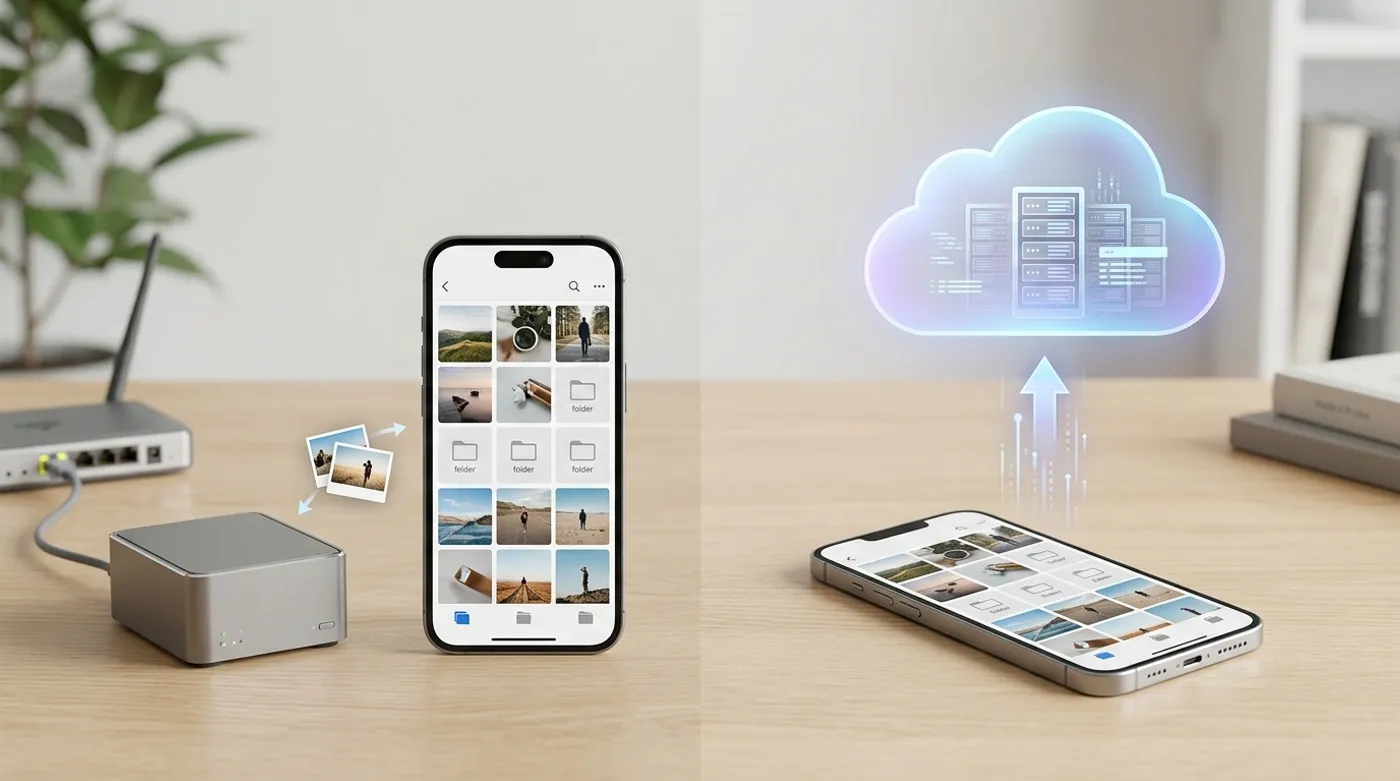
Compare Immich and Google Photos by ownership, backup behavior, sharing, search, maintenance, privacy, and failure modes.
Immich is not “Google Photos but free.” I keep seeing that framing in comment sections, and it sets people up to be disappointed within a month of setting up their server. Google Photos is a managed product built by one of the largest infrastructure companies on earth. Immich is self-hosted software with a genuinely good photo app bolted on top, maintained by a small team that, as of this writing, still puts a warning in their own docs that the project is under heavy development and breaking changes should be expected between upgrades. That’s not a knock on the project — it’s the most honest sentence in their documentation, and more self-hosted tools should be that upfront about it.
So the real comparison isn’t a feature checklist. It’s a question of who is on call when something breaks. With Google Photos, it’s Google, and you have no input into the decision. With Immich, it’s you, at 11pm, reading a GitHub issue thread to figure out why the upgrade you ran twenty minutes ago left the machine learning container stuck restarting.
Where Google Photos wins
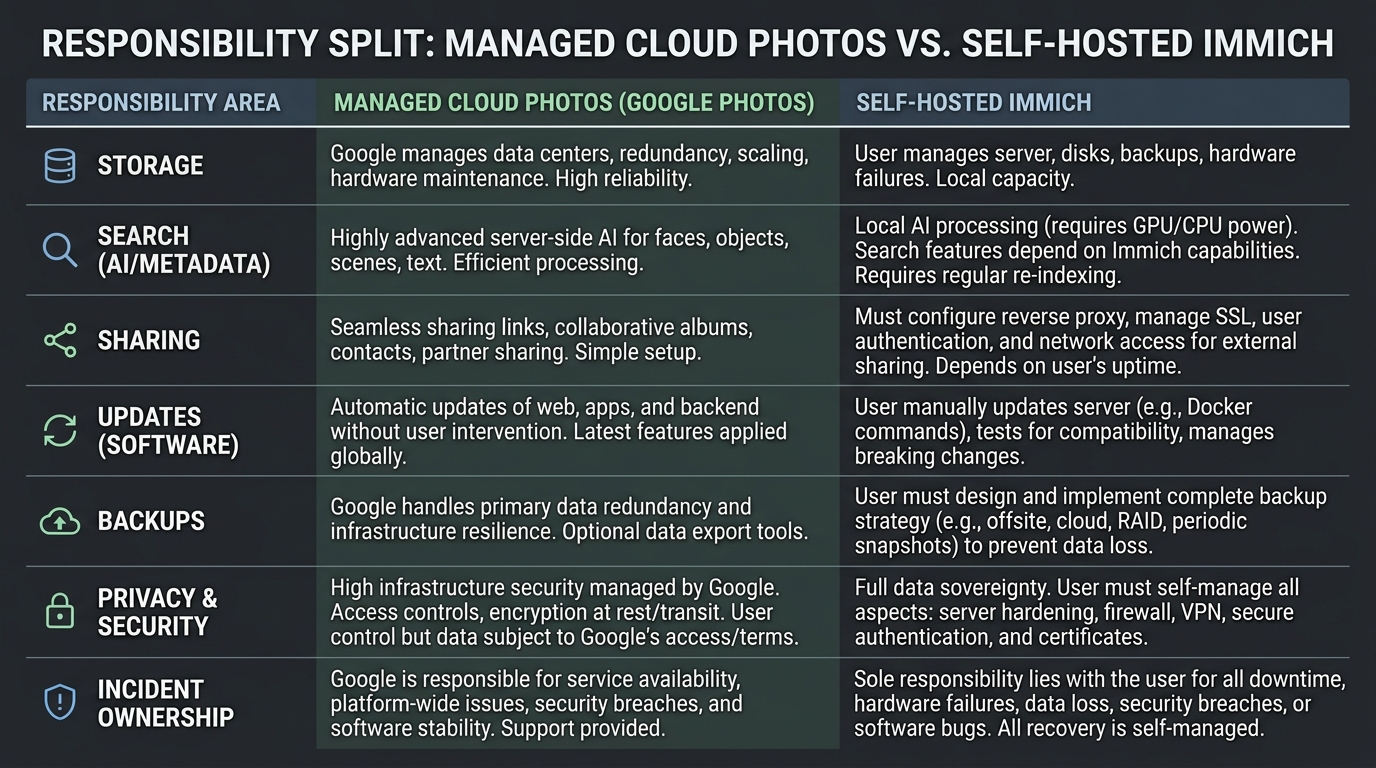
Convenience, full stop. Nobody disputes this and pretending otherwise makes the whole comparison less credible.
Photos land in the cloud the moment your phone has signal. Search works shockingly well — type “dog at the beach” and it finds the right photo from 2019 without you ever tagging anything. Sharing a link with your mother-in-law works on the first try, no app install required on her end. Account recovery exists. Nobody has to SSH into anything to fix it.
The part people gloss over is how much the deal has shifted under their feet. Pixel phones used to get unlimited “high quality” photo backup — that ended back in 2021, and storage has counted against your quota ever since. The free tier is 15GB, shared across Gmail, Drive, and Photos combined, which for anyone shooting regularly on a modern phone camera lasts a few months at best. And the paid tiers have been a genuinely confusing moving target lately: Google folded Google One into something now branded “Google AI Pro,” storage allowances got bundled together with Gemini usage limits, and tech outlets spent a chunk of 2026 writing explainers just to untangle which tier gets you what. When even people who cover this for a living are publishing “here’s what Google One actually includes now” articles, that’s a signal. You’re not just paying for storage — you’re renting a seat in whatever Google’s product team decided storage should mean this quarter.
That’s the dependency cost. Pricing, compression policy, account enforcement, and product direction are all decided somewhere you don’t have a vote. If your account gets flagged by an automated system — and there are enough stories of this happening to people for no clear reason — your entire photo library is on the other side of an appeal form you can’t control the outcome of.
Where Immich wins
Ownership, and it’s not close.
Photos live on disk you can physically point at. The server can run entirely on your LAN with zero internet exposure, reachable from outside only through something like Tailscale or a WireGuard tunnel — no open ports, no public-facing login page for bots to hammer. Search is powered by a CLIP-based model running locally, and facial recognition runs on your own hardware too, which means your face data and the semantic fingerprint of every photo you’ve ever taken never leaves the building. That’s the actual privacy story here, not “no ads,” which is the version people usually lead with and which undersells it.
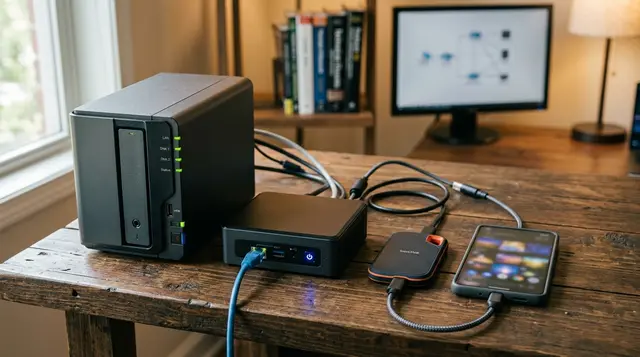
The hardware bar is lower than people assume. A fanless Intel N100 mini PC (Beelink, Minisforum, the usual suspects) runs somewhere in the $120–150 range and idles around 6–10 watts, which is nothing on your power bill. Pair it with a couple of NAS-rated drives — WD Red or Seagate IronWolf — in a mirror, and you’ve got a capable Immich box for less than one year of a mid-tier cloud storage subscription. If you already run a Synology, a TrueNAS box, or an old Dell OptiPlex doing nothing in a closet, Immich is just another container on infrastructure you’re already paying the electricity bill for. That’s the scenario where it makes the most sense — when the server already exists and Immich is the marginal addition, not the reason you bought the hardware.
If the infrastructure doesn’t exist yet, be honest with yourself: you’re not adopting a photo app, you’re starting a small home-server project that happens to have a photo app as its first tenant.
The maintenance trade-off, and what actually breaks
Here’s the part that gets skipped in most “I switched to Immich!” blog posts, and it’s the part I actually care about writing accurately.
Immich’s own upgrade documentation says, in plain language, to expect breaking changes and bugs, and specifically warns against running automated update tools like Watchtower on it without supervision — which tells you something, since most self-hosted projects don’t warn you away from auto-updates this directly. The project went through a real migration not long ago, moving its vector search extension from pgvecto.rs to its successor VectorChord, which required people to manually edit their docker-compose.yml and re-pull images — not catastrophic, but not a silent background update either. I’ve watched GitHub issues where someone jumped two minor versions in a single upgrade and ended up with a corrupted vector index on their database, with the only real fix being a restore from backup. The “just docker compose pull and you’re done” mental model that works for a lot of self-hosted software does not fully apply here yet.
None of that means don’t run it. It means:
Read the release notes before every upgrade, not after something breaks. Pin your version in the .env file instead of tracking latest. Dump your Postgres database on a schedule (pg_dumpall) separately from your media folder backup, because the database holds your albums, your face clustering, and your metadata, and none of that lives in the upload directory. And don’t be the household’s tech support line by accident — if you’re managing this for a partner or parents who just want photos to show up, budget for the fact that you are now the entire incident response team.
To be fair to the Immich team, they’ve publicly floated building a managed, end-to-end-encrypted backup service specifically because they know off-site backup is the gap most self-hosters never close properly. That’s a good sign for where the project is headed. It also tells you the gap is real today.
Cost, with actual math
“Free” is the wrong word for this. Here’s a more honest version of the math, in rough numbers because your situation will vary:
A 2TB Google One tier has hovered somewhere around $10/month depending on which rebrand you caught it during — call it $120/year, $600 over five years, and climbing if Google decides storage and AI features get bundled tighter. An N100 mini PC plus two 4TB drives in a mirror lands somewhere around $300–400 total, one time, plus maybe $10/year in electricity. On paper, the home server wins by year two or three.
What that math leaves out: drives fail, and a mirror is redundancy, not backup — if you fat-finger a delete or ransomware hits the LAN, a mirrored drive faithfully mirrors the disaster too. Real safety means a 3-2-1 setup: the live copy on the NAS, a local backup on a second device, and an encrypted off-site copy — something like Restic or Borg pushing to Backblaze B2 or rsync.net, both of which run a few dollars a month for the kind of volumes a family photo library produces. Add that line item back in and the gap narrows, but the home-server option still tends to win for anyone who already has the hardware or needs more than 2TB, where Google’s per-tier jump gets expensive fast.
If you don’t already own hardware and don’t want to think about disks, the subscription is not a bad deal. It’s just not free, and it’s not a one-time decision — it’s a recurring bet that the pricing and policy stay roughly where they are today.
Search and sharing, the unglamorous part
Google’s search is good because it’s running at a scale and with an identity system Immich will never have, and that’s fine — different tools, different jobs. Immich’s local search is genuinely impressive for something that runs on a mini PC in a closet, but it’s not always as fast or as semantically sharp, and it shows its self-hosted-project age in small ways: occasional reindex needed after a big import, facial recognition that needs a manual nudge sometimes to merge two clusters of the same person.
Sharing tells a similar story. A Google Photos link just works for whoever clicks it. Immich’s sharing has gotten genuinely good — public links, partner sharing, albums — but if you’re sending access to a non-technical relative who needs to install an app and possibly trust a self-signed cert or a slightly unfamiliar domain, you will get a phone call. For a private household archive that you browse and back up yourself, that friction barely matters. For “grandma needs to see the baby photos,” it’s a real consideration.
The hybrid model I’d actually recommend
This is the part most either/or comparisons skip, and it’s the setup I think makes the most sense for anyone past the hobbyist stage:
Immich runs as the primary library, with phones backing up over the LAN at home and through a WireGuard or Tailscale tunnel when out. Albums that need wide sharing get exported or shared through a dedicated link rather than treating the whole library as public-facing. A 3-2-1 backup runs in the background — local NAS copy, a second local or external drive, and an encrypted off-site push through Restic to B2 or similar — so the photos survive a dead motherboard, a house fire, or your own mistake. Cloud photo services become optional, a convenience layer for specific sharing needs, not the only copy that exists.
That’s not a compromise position taken to avoid picking a side. It’s what “local-first” actually means in practice — local is the source of truth, the cloud is a tool you choose to use on your own terms, not the thing your data depends on existing.
The honest recommendation
Pick Google Photos if zero maintenance is genuinely the priority and you’re not interested in owning a server, full stop — there’s no shame in that, and pretending everyone should self-host is its own kind of bad advice.
Pick Immich if ownership matters enough that you’re willing to be the system administrator: reading release notes, dumping the database, and owning the backup strategy instead of assuming the app handles it. I would not point a whole family’s photo library at a fresh Immich install without first testing mobile backup, a full restore from backup, sharing with the least technical person in your household, and an off-site backup cycle — in that order. Skip the restore test and you don’t actually know if you have a backup, you have a folder you’re hoping is one.
Immich is the better answer for local-first ownership. Google Photos is the better answer for zero-maintenance convenience. Those are different jobs, and the mistake is expecting one tool to quietly become the other.
Keep reading
Related guides
Self-Host Immich With Docker Compose and Keep It Recoverable
Install Immich as a local-first photo server with Docker Compose, stable storage, sane networking, and a restore-friendly layout.
Immich Remote Access Without Turning Your Photos Into a Public Target
Compare VPN, private overlay networks, and reverse proxies for safe Immich access away from home without careless exposure.
Immich Backup Strategy: Protect Photos, Database, and Metadata
Design a local-first Immich backup plan that covers uploaded assets, PostgreSQL, app config, restore tests, and off-site copies.