Immich Remote Access Without Turning Your Photos Into a Public Target
Compare VPN, private overlay networks, and reverse proxies for safe Immich access away from home without careless exposure.
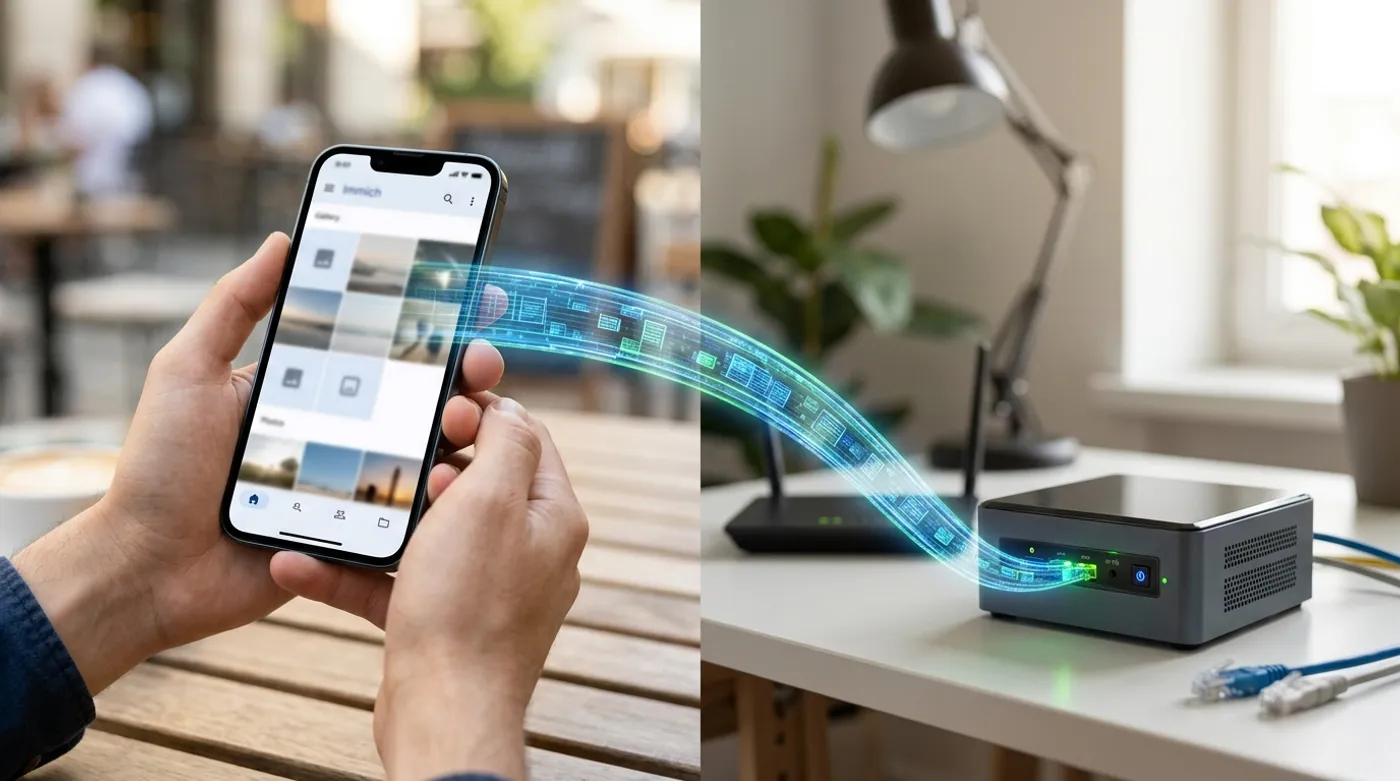
Compare VPN, private overlay networks, and reverse proxies for safe Immich access away from home without careless exposure.
Remote access is where a nice self-hosted photo setup can turn into a bad security decision. Immich holds private photos, videos, metadata, faces, locations, and family history. Treat it like personal infrastructure, not like a demo app you found on GitHub and exposed for convenience.
My default would be boring: make Immich work perfectly at home first. Add remote access only through a path you can maintain, monitor, and explain.
Option 1: VPN
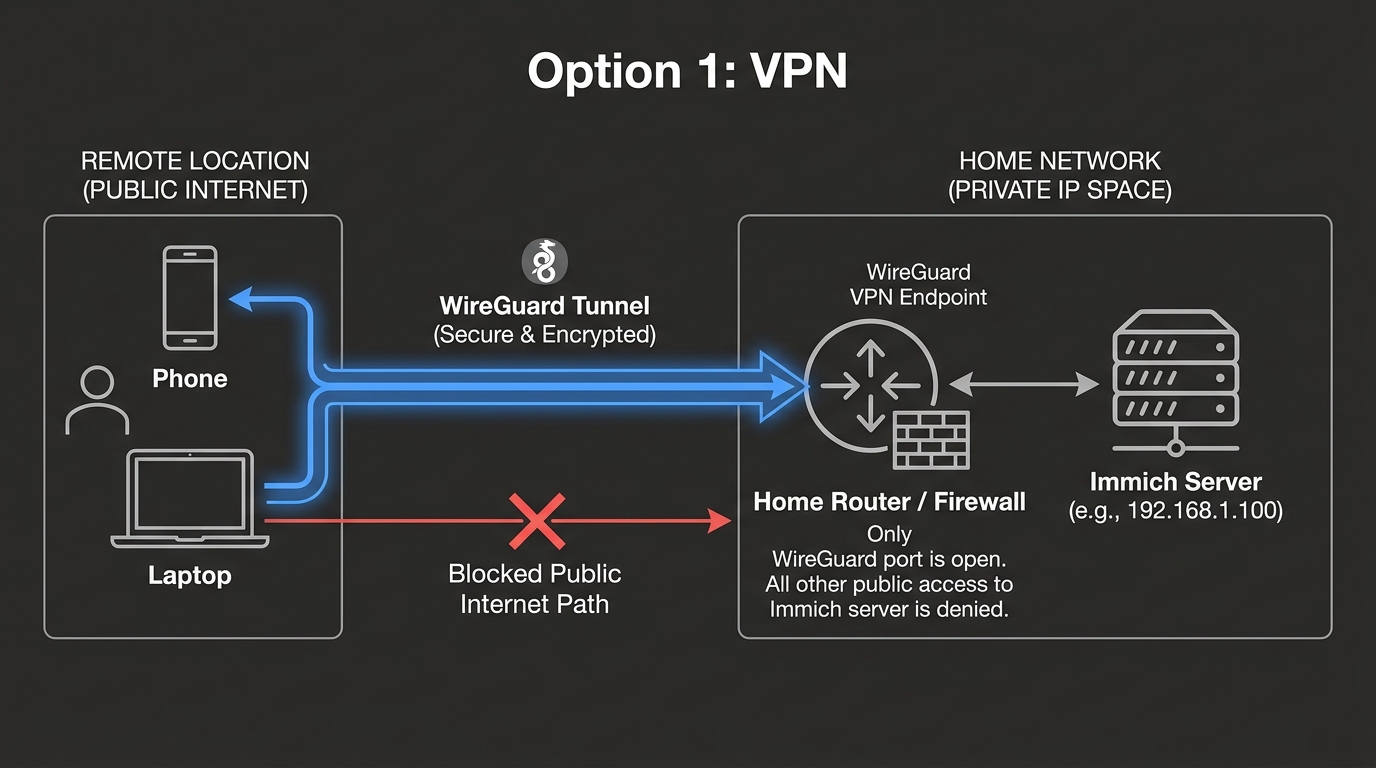
A traditional VPN such as WireGuard is the cleanest mental model. Your phone connects to your home network through an encrypted tunnel, then reaches Immich as if it were local.
Example:
- Home LAN:
10.10.0.0/24 - Immich server:
10.10.0.20 - Immich URL:
http://10.10.0.20:2283 - VPN clients:
10.60.0.0/24
Firewall rules can allow VPN clients to reach only the server, not every device in the house. That keeps remote access useful without flattening the whole network.
Option 2: Private Overlay Network
Overlay tools such as Tailscale-style or NetBird-style networks can be easier than managing public IPs and router port forwards. They create a private network identity between approved devices.
The benefit is usability. Phones, laptops, and servers can reach each other without exposing Immich directly to the public internet. The trade-off is dependency on the overlay provider’s coordination plane, even if traffic may be peer-to-peer depending on conditions and implementation.
For many homes, that trade-off is reasonable. It is still much safer than a careless public port forward.
Option 3: Public Reverse Proxy
A public reverse proxy with HTTPS can work, but it raises the maintenance bar. You now need:
- correct TLS
- strong authentication
- secure headers where appropriate
- update discipline
- logs
- rate limiting or upstream protection
- a plan for vulnerabilities
If you use a reverse proxy, expose only what is needed. Do not publish every dashboard on the server because one domain was convenient. Convenience has a way of turning into an inventory of public mistakes.
What About Cloudflare Tunnel?
Cloud tunnels are convenient, but they move part of the trust and access path to a third party. That may be acceptable for some users and unacceptable for others. The important part is being honest about the trade-off.
For a local-first photo library, prefer VPN or private overlay access unless there is a clear reason to make Immich reachable from the public web.
Mobile Backup Behavior
Remote access is not only about browsing. It affects backup behavior. If the phone can reach Immich only at home, uploads may happen when you return to Wi-Fi. If the phone can reach Immich through VPN or overlay, uploads can happen away from home depending on app settings, battery rules, and network conditions.
That is usually fine. Most people do not need every photo uploaded instantly over cellular. They need reliable backup without turning private media into a public service.
The Safer Default
Use VPN or a private overlay first. Public reverse proxy second. Direct port forward last, and only if you know exactly why it is needed.
Remote access should feel deliberate. If you cannot describe how a packet reaches Immich from your phone, the setup is not ready to hold the only copy of important photos.
Keep reading
Related guides
How Much Hardware Does a Private ChatGPT Actually Need?
Size CPU, RAM, VRAM and storage for Open WebUI, Ollama, local RAG and multiple users without buying an oversized AI server.
Local RAG With Open WebUI: Chat With Documents Without the Cloud
Build an offline Open WebUI RAG workflow for PDFs with local embeddings, practical chunking, evidence checks and private storage.
Open WebUI on Windows: Build a Private ChatGPT With Ollama
Run Open WebUI and Ollama on Windows with persistent storage, LAN access controls, backups and no accidental internet exposure.